- - -
- hours mins seconds
to get your checks by
Thursday, Sep. 24th

 0
0 You have no items in your shopping cart.
Blog
A sample blank check template is a design layout of a check with all the standard fields, the date line, payee line, amount box, memo, and signature line, but no real bank details. Templates built in Word or Excel work well for teaching, mockups, and record keeping. Real, bankable checks require security check stock and magnetic MICR printing, which no plain-paper template can provide.
This guide gives you everything a downloadable file would and more: the exact dimensions and field positions of a standard business check, step-by-step instructions to build the template in Word or Excel, the uses where a template is the right tool, and the clear line where template paper ends and real check stock begins.
Quick Summary: Blank Check Templates in Five Lines
- A template is a layout, not a check. It carries the standard fields at standard positions, with no bank details and no legal value.
- The standard business check measures about 8.5 x 3.5 inches on an 8.5 x 11 sheet. Build your template to those numbers and it looks right instantly.
- Templates are for education, training, and mockups. Classroom money lessons, bookkeeping practice, and design proofs. Mark every sample VOID.
- Templates cannot make bankable checks. Real checks need security paper and a MICR line printed in magnetic ink, which plain paper and regular ink cannot deliver.
- When you need real checks, blank check stock plus MICR toner and check software is the legitimate version of do-it-yourself printing.
What Is a Sample Blank Check Template?
A blank check template reproduces the face of a check with placeholder fields instead of real information. Most come in three flavors: Word templates built with text boxes and tables, Excel templates that use the cell grid for alignment, and printable PDF layouts for handwriting practice.
What all of them share is what they leave out. A template has no bank routing number, no account number, no magnetic ink, and no security paper. That absence is what makes templates safe to share freely, and also what makes them useless for actual payment, which is exactly how it should be.
Standard Check Dimensions and Anatomy (The Spec Every Template Needs)
A convincing template starts with the right numbers. Here is the spec sheet for a standard business check.
| Element | Specification | Position |
|---|---|---|
| Check body | About 8.5 x 3.5 inches | Full width of a letter sheet |
| Business name and address | 2 to 3 text lines | Top left |
| Check number | 3 to 6 digits | Top right |
| Date line | Short rule with label | Upper right, below the number |
| Payee line ("Pay to the order of") | Long rule | Left, middle band |
| Numeric amount box | Small ruled box with $ sign | Right end of the payee line |
| Written amount line | Full-width rule ending in "Dollars" | Below the payee line |
| Memo line | Short rule | Bottom left |
| Signature line | Short rule | Bottom right |
| MICR line (real checks only) | E-13B font in magnetic ink | Bottom edge strip |
On a template, represent the MICR strip with placeholder characters or leave it empty and label the zone. Only real check stock printed with magnetic ink can carry a working MICR line, and imitating one closely on a template invites exactly the confusion a VOID mark prevents.
How to Build a Blank Check Template in Word
- Open a new document and set the page to letter size with narrow margins.
- Insert a text box sized to 8.5 x 3.5 inches (or a one-cell table set to that height) at the top of the page. This is your check body.
- Add the fields from the spec table above using small text boxes: name block top left, check number top right, date line under it, payee line with the amount box, written amount line, then memo and signature at the bottom corners.
- Use bottom borders on empty paragraphs to draw the ruled lines, and a bordered single-cell table for the amount box.
- Add a large gray VOID watermark or diagonal text box across the check if the template will ever be printed for practice.
- Save as a Word template file so every use starts from the clean layout, and run a test print to confirm the proportions look right on paper.
Building the Same Template in Excel
Excel trades text boxes for the cell grid, which some people find faster for alignment. Set column widths and row heights until a block of cells measures roughly 8.5 x 3.5 inches in print preview, merge cells for each field zone, and use cell borders for the rules and the amount box. The grid keeps everything square, and print preview with a test print confirms the scale. Excel also suits check stub templates, since a stub is essentially a small table of payment records already.
What Blank Check Templates Are Genuinely Good For
Teaching. Classroom money units, financial literacy lessons, and homeschool practice all need realistic checks students can fill in. Print the template with its VOID mark and every student can practice writing a payee, amount, and signature safely.
Bookkeeping training. New hires learning accounts payable can practice the full write-record-file loop on template checks before touching real stock.
Design and process mockups. Testing how a logo sits on a check face, staging a payment workflow document, or building training materials all call for a check image with no real details on it.
Check stub records. A blank check stub template, the record portion with date, payee, amount, and running balance fields, works as a standalone bookkeeping form for anyone who wants paper records alongside digital ones.
One rule covers all of these: keep templates visibly non-negotiable. A VOID mark, obviously fake numbers, or both. A template that could be mistaken for a real check helps nobody and risks real trouble.
What Templates Cannot Do: The Line Between Paper and Payment
A check printed from a Word template onto plain paper is not a bankable document, and attempting to pass one as real is check fraud. The technical reasons are as firm as the legal one.
The MICR line must be magnetic. Banks process checks by machine-reading the routing and account numbers in magnetic E-13B characters. Regular printer ink carries no magnetic signal, so a template check fails at the first reader it meets.
The paper must be security paper. Real check stock carries fraud deterrents and clean perforation. Plain copy paper announces itself the moment a teller handles it.
Printing your own checks legitimately is absolutely possible, it just starts with the right materials rather than the right template.
From Template to Real Checks: Blank Check Stock
When the goal shifts from practice to payment, the legitimate do-it-yourself route is blank check stock: real security check paper with no bank details, which your laser printer completes using MICR toner and check printing software. Everything the template taught you about layout carries over; the paper and the magnetic ink are what change.
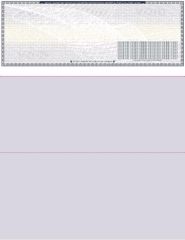
Our blank checks come in four layouts on secured stock with clean perforation, in twenty colors. The blank checks on top layout matches the voucher position most accounting software prints to, which makes it the natural first order for anyone graduating from templates to real printing.
The same alignment habit applies on real stock as on templates: run a test print on plain paper, hold it over a check sheet against the light, and adjust before committing the real thing. Order before 2:00 PM EST Monday through Friday and blank check stock ships the same business day for next business day arrival, with free shipping.
About the Author
This guide was written by the Checks Next Day production team, which has printed business checks and blank check stock to banking specifications across the United States since 1997. The team works with check layouts, MICR standards, and print alignment daily, and reviews every guide against current production practice before publishing.
Computer checks work with your accounting software when the check body sits in the position the software prints to. QuickBooks and Quicken print to check-on-top voucher layouts, Sage 50 (formerly Peachtree) prints to check in middle, and DacEasy and MAS 90 print to check on bottom. Match the layout and any compatible check stock aligns on the first run.
That one rule answers most compatibility questions, but each platform has details worth knowing before you order. This guide maps every major accounting package to its check layout, covers the platforms that share stock, and explains what to do when your software is not on the list.
Quick Summary: Software-to-Check Compatibility
- QuickBooks and Quicken share a layout. Both print to check-on-top voucher checks, so the same stock family serves both.
- Sage 50 is the middle-position platform. If you knew it as Peachtree, the check layout expectation carried over with the rename.
- Xero, MYOB, Yardi, and Deltek each have dedicated compatible ranges, formatted so the print setup aligns without guesswork.
- 3-per-page works across platforms that support the standard layout, and it is the economical pick at volume.
- Software not listed? Payroll and ERP platforms usually print to a standard layout too. Confirm before ordering and the first box aligns.
Why Check Layout Depends on Your Software
When accounting software prints a check, it places the payee, date, amount, and signature line at fixed coordinates on the page. Different platforms fix those coordinates in different positions, which is the entire reason check layouts exist.
Buy the layout your software expects and everything lands inside its printed boxes. Buy the wrong one and no alignment setting can save it, because voucher coordinates will never fit 3-per-page paper. The sheet size never changes: every layout prints on standard 8.5 x 11 stock through any laser or inkjet printer, with the MICR line pre-printed so no special toner is needed.
The Full Compatibility Table
| Software | Check layout it prints to | Where to order |
|---|---|---|
| QuickBooks (Desktop and Online) | Check on top (voucher), 3 per page; wallet on Desktop | QuickBooks checks range |
| Quicken | Check on top (voucher), 3 per page, wallet | Quicken compatible checks |
| Sage 50 (formerly Peachtree) | Check in middle | Computer checks in middle |
| Xero | Top, middle, bottom, and 3 per page options | Xero compatible checks |
| MYOB | Standard computer check layouts | MYOB compatible checks |
| Yardi | Standard computer check layouts | Yardi compatible checks |
| Deltek | Standard computer check layouts | Deltek compatible checks |
| DacEasy, MAS 90 | Check on bottom | Computer checks on bottom |
Computer Checks for QuickBooks
QuickBooks prints to the check-on-top voucher position for payroll and accounts payable, with 3-per-page as the volume option. QuickBooks Online supports voucher and standard formats; Desktop adds wallet checks.
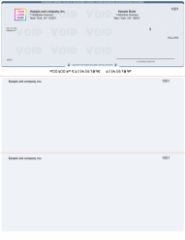
Order from the QuickBooks checks range and select your layout at checkout. For the full breakdown of QuickBooks formats, versions, and setup, our QuickBooks compatibility guide covers that platform in depth.
Computer Checks for Quicken
Quicken shares the check-on-top voucher position with QuickBooks, which surprises nobody given the shared Intuit heritage. That shared layout means Quicken users have the same three choices: voucher checks for payments with record stubs, 3-per-page for volume, and wallet checks for personal-size printing.
Our Quicken compatible checks page collects all three in one place: check on top, 3 on a page, and personal wallet checks, each pre-printed with your bank details and ready for Quicken's print setup on the first alignment test.
One practical Quicken note: home and small-office users often print fewer checks per sitting than a business AP team, which makes the wallet and 3-per-page formats more common Quicken picks than they are for QuickBooks users.
Checks for Sage 50 (Formerly Peachtree)
If you are searching for Peachtree computer checks, you are looking for Sage 50 stock: same software, renamed. What did not change is the layout expectation. Sage 50 prints to the check-in-middle position, with the check body between two detailed stubs, a layout built for businesses that keep full records on both sides of every transaction.
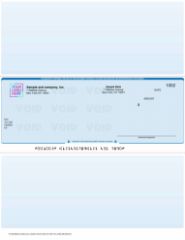
Order computer checks in middle for Sage 50, and if you are replacing an old Peachtree stock, match the position of the check body on a sheet you already use to confirm.
Xero, MYOB, Yardi, and Deltek
Four more platforms get dedicated compatible ranges, each formatted so the print setup aligns without trial and error.
Xero. The Xero compatible checks range covers top, middle, bottom, and 3-per-page positions, matching however your Xero print settings are configured.
MYOB. MYOB compatible checks print on the standard computer check layouts MYOB expects.
Yardi. Property management teams printing from Yardi order Yardi compatible checks, formatted for its AP check runs.
Deltek. Project-based firms running Deltek order Deltek compatible checks the same way.
All four share the computer check fundamentals: standard sheets, pre-printed MICR line, any laser or inkjet printer, and free logo setup.
Software Not Listed? NetSuite, Zoho Books, Gusto, ADP and Others
Modern ERPs and payroll platforms print checks too, and most of them print to one of the standard positions already covered. NetSuite and Zoho Books check runs, and payroll platforms such as Gusto and ADP when configured for self-printed checks, generally expect a voucher or standard layout.
Generally is not a guarantee, and guessing costs a box of checks. The reliable path: email us the name of your software before you order and we will confirm the correct layout, the same way we match stock for every platform on this page. A few minutes of confirmation beats a reprint, especially when you are already short on checks.
Ordering the Right Checks in Three Steps
- Confirm the layout. Find it in the table above, check your software's print settings, or match an existing check sheet. When in doubt, tell us the software name at checkout.
- Copy your bank details from an existing check. Routing number, account number, and your next check number in sequence, plus your business name and address as they should print.
- Test alignment on plain paper first. Print your software's alignment sample, hold it over a real sheet against the light, and adjust before running real stock.
Whichever platform you run, orders placed before 2:00 PM EST Monday through Friday print and ship the same business day for next business day arrival, with free shipping and free logo setup, backed by our on-time guarantee. Browse the full computer checks range to compare every layout side by side.
About the Author
This guide was written by the Checks Next Day production team, which has matched check stock to accounting software platforms for businesses across the United States since 1997. The team formats checks for QuickBooks, Quicken, Sage 50, Xero, MYOB, Yardi, Deltek, and more every day, and reviews each guide against current print specifications before publishing.
Printing checks in QuickBooks Online takes three steps: order voucher or standard checks that match its print layouts, run the one-time print setup with an alignment test, then print from the check queue. To print the check register in QuickBooks Online, open your bank account register through the Chart of Accounts, or run the Check Detail report and print that.
That is the whole map. The details below walk through each step in order, including the alignment test that saves you a sheet of real checks, the starting check number rule that keeps your register clean, and the two ways to get a printed record of every check you have written.
Quick Summary: Printing Checks and the Register in QuickBooks Online
- Order the right stock first. QuickBooks Online prints on voucher checks (one check on top, two stubs) or standard 3-per-page checks. It does not print wallet checks.
- Run print setup once. Choose your check style, print the alignment sample on plain paper, and adjust the alignment grid before touching real stock.
- Queue, then print. Mark checks "Print later" as you create them, then print the batch from the Print Checks screen with the correct starting check number.
- Print the register two ways: open the bank register from the Chart of Accounts and use its print and export options, or run the Check Detail report for a cleaner printed list.
- No MICR toner needed. Pre-printed QuickBooks checks arrive with the bank line already printed, so any laser or inkjet printer works.
Before You Print: Order Checks That Match QuickBooks Online
QuickBooks Online supports two check styles, and your stock has to match the one you select in print setup.
Voucher checks. One check at the top of the page with two stubs below. This is the style payroll and accounts payable teams use, because pay and invoice details print on the stubs.
Standard checks. Three checks per page with no stubs, the economical choice for higher-volume vendor runs.
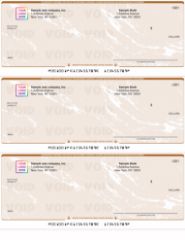
Both styles are available under our QuickBooks checks range, pre-printed with your bank details and MICR line so no special toner is required. If you print in volume, order 3 on a page QuickBooks checks directly.
Two ordering details that matter later: set the starting check number to continue your existing sequence (your last check number plus one), and note that wallet checks are a QuickBooks Desktop format, so QuickBooks Online users should stay with voucher or standard.
Step 1: Set Up Check Printing in QuickBooks Online
Print setup is a one-time job, and doing it on plain paper first is the difference between a clean first run and a wasted sheet of checks.
- Select + New, then Print checks. The first visit opens the print setup flow.
- Choose your check style: voucher or standard, matching the stock you ordered.
- Load plain paper in the printer and print the alignment sample.
- Hold the sample over a real check sheet against the light. The amounts, payee, and date should sit inside their printed boxes.
- If anything is off, use the alignment grid to shift the print position, then re-test on plain paper until it lands.
- Finish setup, and only then load real check stock.
If the print lands in a completely different position rather than slightly off, the check style setting and your stock do not match. A voucher setting will never align on 3-per-page paper, and no grid adjustment can fix that mismatch.
Step 2: Write Checks and Build the Print Queue
Checks reach the printer through the print queue, and the queue fills as you work.
Create a check with + New, then Check. Select the payee, the bank account the check draws on, the expense category from your chart of accounts, and the amount. Before saving, tick Print later. The check saves to the register with a "To Print" label instead of a number and waits in the queue.
Repeat for every payment in the run. Bills you pay through the pay bills flow can join the same queue the same way, so one print run covers the whole batch.
One habit worth keeping: if a payment came in through your bank feed as an expense, it is already paid and does not belong in the check queue. The queue is only for payments that leave your office on paper.
Step 3: Print the Checks
- Go to + New, then Print checks. The queue lists every check marked Print later.
- Select the bank account and confirm the starting check number matches the first physical check loaded in the printer.
- Select the checks to print in this run.
- Load the check stock face up or face down per your printer's feed, using what the alignment test taught you.
- Use Preview and print, check the preview one last time, and print.
- Confirm the result in the dialog that follows. If a check misprinted, tell QuickBooks there was a problem so it stays in the queue for reprinting, and mark the spoiled paper check void in your records.
Once confirmed, each printed check swaps its "To Print" label for its check number in the register, which is exactly what you want your printed register to show.
How to Print the Check Register in QuickBooks Online
The check register is the running record of every check and transaction on a bank account, and there are two practical ways to get it onto paper.
Route 1: Print From the Bank Register
- Go to Transactions (or Bookkeeping), then Chart of accounts.
- Find the bank account and select View register.
- Filter the register by date or transaction type so it shows the period you need.
- Use the register's print or export options: print it directly for a quick paper copy, or export to a spreadsheet when you want to format the columns before printing.
Route 2: Run the Check Detail Report
For a cleaner printed list showing just checks, go to Reports and run the Check Detail report. Set the date range, customize the columns down to date, check number, payee, and amount if you want a simple register-style list, then print or export it. This route usually produces the tidier document for month-end files, audits, or a quick bank-status review.
If your printed register shows "To Print" where check numbers should be, those checks are still sitting in the print queue. Print them, or edit each check to assign its number manually if it was handwritten.
Troubleshooting the Three Common Problems
Alignment drifts off. Reopen print setup and adjust the alignment grid, testing on plain paper. If the drift began after a printer change, redo the alignment for the new printer. A wholesale position mismatch means the check style setting and the stock disagree.
A check printed wrong. Report the problem in the confirmation dialog so the check returns to the queue, void the spoiled paper check, and account for it in your sequence. Never discard a spoiled check without recording it.
A printed check is missing from the register. Check that it was saved to the correct bank account, and that the register filter is not hiding it by date or type. Checks live in the register of the account they draw on.
Keep Stock Ready So the Workflow Never Stalls
The printing workflow only runs as long as there is paper in the drawer. Reorder when your remaining stock covers one pay period, and continue your check number sequence on the new order.
Order before 2:00 PM EST Monday through Friday and replacement QuickBooks checks print and ship the same business day, arriving the next business day with free shipping. And if your business prints from several bank accounts, blank checks with MICR toner let one stock cover every account, a different workflow covered in our blank check stock guide.
About the Author
This guide was written by the Checks Next Day production team, which has printed QuickBooks-compatible business checks for companies across the United States since 1997. The team matches check stock to QuickBooks print settings daily and reviews every guide against current software behavior before publishing.
Computer business checks print from your accounting software onto pre-printed check stock, while manual checks are written by hand from a bound book with a record stub. The right choice comes down to three things: how many checks you write, whether your payments live in software, and where you are standing when you pay.
Both formats produce a check your bank processes identically. What differs is the workflow around them, and picking the wrong workflow means either babysitting a printer for five checks a month or hand-writing forty checks every payroll. Here is the honest comparison.
Quick Summary
- Computer checks win on volume. Batch printing from software handles payroll and accounts payable runs in minutes, with records created automatically.
- Manual checks win on simplicity. No printer, no software, no alignment setup. Open the book, write the check, the stub keeps the record.
- Neither needs special equipment. Computer checks arrive with the MICR line pre-printed, so any laser or inkjet printer works. Manual checks need only a pen.
- Your software decides the computer check layout: check on top for QuickBooks and Quicken, middle for Sage 50, bottom for DacEasy and MAS 90.
- Many businesses run both: computer checks for scheduled runs, a manual book for ad hoc and off-site payments.
What Are Computer Business Checks?
Computer checks, also called laser checks, are pre-printed business checks designed to be completed by a printer instead of a pen. Your bank details, business name, and the magnetic MICR line arrive already printed to banking specifications. Your accounting software adds the payee, date, and amount when you run a payment batch.
Because the MICR line is pre-printed, no MICR toner or special printer is required. The sheets feed through any standard laser or inkjet printer.
Our computer checks come in four layouts, and the choice follows your software, not your preference: check on top is the voucher position QuickBooks and Quicken expect, check in middle suits Sage 50, check on bottom works with DacEasy and MAS 90, and 3 per page is the economical pick for high-volume runs.
What Are Manual Business Checks?
Manual checks are written by hand from a bound binder or deskbook. Beside every check sits a stub, and filling it in as you write is the entire record-keeping system: payee, amount, date, purpose, done.
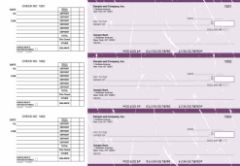
Our manual business checks come in five formats: accounts payable for vendor payments, multi purpose for general disbursements, payroll for handwritten wages, pocket checks that travel with a vinyl cover and deposit slips, and the executive deskbook for businesses where the check is part of the impression.
The defining advantage is independence. A manual check needs no printer, no software, no power, and no desk. It writes a payment wherever you are standing, which no printed format can claim.
Head to Head: The Full Comparison
| Computer checks | Manual checks | |
|---|---|---|
| How they are completed | Printed from accounting software | Written by hand |
| Equipment needed | Any laser or inkjet printer | A pen |
| Best volume | Regular batches: payroll, AP runs | A handful of checks per week |
| Record keeping | Automatic in the software register | Handwritten stub beside each check |
| Where you can pay | At the printer | Anywhere |
| Setup required | Layout must match software print settings | None |
| Typical users | Bookkeepers, AP teams, payroll | Owners, site managers, small offices |
The Volume Threshold: When the Math Flips
The clearest deciding line is check volume.
Hand-writing five checks a week is faster than any printer workflow, because loading stock and running a print job has fixed overhead no matter how few checks you print. Hand-writing forty checks every payroll is a wasted afternoon and an invitation for transcription errors.
The practical threshold most offices land on: once you write more than roughly ten to fifteen checks in a sitting on a regular schedule, batch printing pays for its setup time every single run. Below that, the manual book is the more efficient tool. Per-check economics follow the same curve, with 3-per-page computer stock stretching furthest at volume.
The Audit Trail: Stubs vs Software
Both formats keep records. They keep them differently, and the difference matters at reconciliation time.
Computer checks record themselves. The payment that prints the check also writes the register entry, so the check number, payee, amount, and date land in your books without a second step. At month end, reconciliation is a matching exercise inside the software.
Manual checks record by discipline. The stub is a complete audit trail only if it gets filled in every time. A well-kept deskbook is a perfectly auditable record in your own hand; a hurried one with blank stubs is a reconciliation headache. If more than one person writes checks from the same book, the discipline has to hold for all of them.
Neither is inherently safer. Software records resist forgetfulness; handwritten stubs resist software mistakes like a mis-posted batch. The best control in either system is the same: someone other than the check writer reconciles the account.
If You Came From a One-Write or Pegboard System
Long-established businesses often arrive at this decision from an older starting point: the one-write pegboard system, where carbon copy backing turned each handwritten check into a simultaneous journal entry.
Both modern formats inherit half of that system. Manual checks with stubs keep the write-once record in a simpler binder form, without pegboard hardware or carbon sheets. Computer checks automate the journal half entirely, with the software posting the entry as the check prints. If the one-write's appeal was never touching the same transaction twice, computer checks are its true successor. If the appeal was paper you control by hand, the manual deskbook is the modern version.
The Case for Running Both
This is not an either-or decision, and plenty of businesses quietly run both formats.
The pattern that works: computer checks handle everything scheduled, payroll and the weekly AP run, printed in batches from the software where those payments already live. A manual pocket book or deskbook covers everything else: the delivery that needs paying at the door, the payment written at a job site, the one-off refund when the printer is occupied.
Two rules keep a dual setup clean. Keep the check number sequences clearly separate between the two stocks, and record manual checks into the software register promptly so reconciliation sees one unified picture.
How to Decide in Three Questions
- Do your payments already live in accounting software? Yes: computer checks, in the layout your print settings expect. For QuickBooks specifically, pre-formatted QuickBooks checks remove the guesswork.
- How many checks per sitting? More than ten to fifteen on a schedule points to printing. A few per week points to the book.
- Where do payments happen? At a desk near a printer: computer checks. In the field, at the counter, on the move: manual, or both.
One edge case worth knowing: businesses printing from several bank accounts sometimes skip both and use blank checks with MICR toner instead, one stock for every account. That is a different workflow with its own setup, covered in our blank check stock guide.
Whichever side you land on, the logistics are identical: order before 2:00 PM EST Monday through Friday and your checks print and ship the same business day, arriving the next business day with free shipping and free logo setup, backed by our on-time guarantee.
About the Author
This guide was written by the Checks Next Day production team, which has printed both computer and manual business checks for companies across the United States since 1997. The team works daily with every layout and format in this comparison and reviews each guide against current production practice before publishing.
Out of checks with payments due? Order replacement business checks before 2:00 PM EST on a business day and they print and ship the same day, arriving the next business day with free overnight shipping. The cutoff is the whole game: beat it and tomorrow is covered, miss it and a late-window rush option can still keep you on track.
An empty check drawer always announces itself at the worst moment. Payroll lands Friday, a vendor is waiting, or the last page of the book disappeared mid payment run. This guide is the fastest path from "out of checks" to a box on your desk tomorrow morning, plus the two-minute system that stops it from happening again.
Quick Summary : Out of Checks? Do These Five Things
- Check the clock first. Before 2:00 PM EST Monday through Friday means same-day printing and next-day delivery. Between 2:00 and 5:00 PM EST, an optional rush upgrade can still make tomorrow.
- Grab an existing check. Your routing number, account number, and last check number are all printed on it, and they are everything the order needs.
- Keep the order plain. Skip the proof and the color logo. Both pause emergency orders.
- Reordering? Even faster. A repeat order from your account history carries your details over and removes every setup step.
- Cover today separately. For payments that cannot wait for tomorrow's box, ask each payee what they accept today and use a bank alternative once.
The 2:00 PM EST Decision
Every emergency check order lives or dies on one number: the order cutoff.
Orders placed before 2:00 PM EST, Monday through Friday, print and ship the same business day and arrive the next business day. Shipping is free, including overnight. Orders placed between 2:00 and 5:00 PM EST can still stay on track for next-day arrival with an optional rush upgrade, and anything later moves to the next business day.
Weekends and legal holidays do not count as business days, so a Friday afternoon order normally ships Monday. If the drawer is empty on a Thursday, the morning is worth more than the afternoon.
So before anything else: look at the clock, and if the cutoff is close, place the order first and read the rest of this guide after.
The 4 Things to Have Ready (All on an Existing Check)
An emergency order stalls for exactly one reason: missing or mistyped details. Every detail you need is printed on any check from the same account, even a used or voided one.
- Routing number. The first group of numbers in the MICR line along the bottom edge.
- Account number. The second group in the same line. Copy both digit by digit, never from memory.
- Starting check number. Your last check number plus one. Continuing the sequence keeps your register clean and prevents duplicate warnings at the bank.
- Business name and address, exactly as it should print. This is also the moment to verify your delivery address character by character, because an address correction is the most common reason an overnight box slips a day.
Checks are printed to your bank's specifications from these details, which is why accuracy beats speed. Thirty seconds of double-checking protects the whole timeline.
Which Checks to Order When You Are Out
Order the format you already use. An emergency is not the moment to redesign your payment workflow, and matching your existing stock means your software settings and records carry straight over.
You Print Checks From Accounting Software
Order computer checks in the layout your software expects: check on top, in middle, on bottom, or 3 per page.
You Run QuickBooks
Go straight to QuickBooks checks in voucher, 3-per-page, or wallet format. They are pre-formatted for QuickBooks Desktop and Online, so printing resumes the moment the box arrives.
You Write Checks by Hand
Order manual business checks: accounts payable, multi purpose, payroll, pocket, or executive deskbook. No printer needed, and the stub keeps your record from the first check.
You Print Across Several Accounts
Order blank checks and print the bank details yourself with MICR toner. One stock then covers every account, which is its own protection against running out again.
The Empty Checkbook Is Personal
The personal checkbook range covers rent, school, and every other payee that still says "check only."
Reordering? You Are Already Most of the Way There
If you have ordered from us before, the fastest emergency order is a reorder. Sign in, open your order history, and repeat your last order. Your format, bank details, and customization carry over, which removes the setup steps where emergency orders lose time. Update the starting check number to continue your sequence, confirm the delivery address, and you are done in minutes.
First-time ordering takes only a few minutes longer. Orders are placed online, which is what keeps processing fast and accurate, and our team is reachable through the FAQ and support page if you get stuck at any step.
What Slows Emergency Check Orders (Skip All Three)
Requesting a proof. A proof pauses production until you approve it. On a normal order that is a reasonable safety step. On an emergency order it is a handbrake. If you must have one, approve it the moment it lands.
Color logos. Logo setup is free, and a black-on-white BMP or JPG prints cleanly without slowing anything. Color logos are not eligible for overnight processing, so save the color version for your next scheduled order.
Address errors. The production side can run perfectly and still lose the day to a wrong suite number. Verify the delivery address as carefully as the bank details.
Your Timeline, Hour by Hour
| When you order | What happens | Checks arrive |
|---|---|---|
| Before 2:00 PM EST, Mon-Fri | Same-day printing, ships the same afternoon | Next business day |
| 2:00 to 5:00 PM EST, Mon-Thu | Optional rush upgrade keeps same-day shipping in play | Next business day with the upgrade |
| After 5:00 PM EST | Processing begins next business day | The business day after |
| Friday afternoon, weekend, holiday | Processing resumes the next business day | Typically Tuesday for a weekend order |
Next-day eligible orders travel by overnight air shipping, arriving by mid-morning in most commercial areas, and every order is backed by our on-time shipping guarantee. For the full picture of how emergency production works, see our guide to rush checks.
Covering the Payments Due Before Tomorrow
Tomorrow's box solves tomorrow. For anything that truly cannot wait today, three fallbacks cover almost every case: ask the payee if they accept an electronic payment for this one transaction, ask your bank about a same-day official check, or use a money order for a payee who insists on paper. One sentence to the payee usually settles it, and most vendors flex once when they know replacement checks arrive tomorrow.
Then let the overnight box take over from tomorrow onward.
Never Run Out Again: The Two-Minute System
Set a reorder trigger and write it down. For businesses, reorder when the remaining stock covers one pay period. For households, one month. The trigger works because it removes the judgment call: hit the number, place the order.
Put the trigger where you will see it. A note clipped at the trigger point inside the check drawer or binder beats any reminder app, because it appears exactly when you are holding the dwindling stack.
Keep last order details current. When bank details change, update your next order immediately instead of working through old stock. Stale pre-printed checks are how "out of checks" happens with a full drawer.
About the Author
This guide was written by the Checks Next Day production team, which has handled emergency and same-day check orders for businesses across the United States since 1997. The team runs the daily production cutoff and reviews every guide against current processing and shipping practice before publishing.
Blank check stock is secure check paper with no bank details printed on it. Your own printer adds the routing number, account number, check number, and payment details in a single pass, using MICR toner and check printing software. One paper supply can then serve every bank account your business prints from.
That flexibility is why accounting teams love blank check paper, and also why first orders sometimes go wrong: the paper is only one third of the setup. This guide covers what blank check stock is, the three things you need before printing a single check, and when pre-printed checks are honestly the better buy.
TL;DR: Blank Check Stock at a Glance
Five lines, whole story.
- Blank check stock carries no bank details. You print everything, which means one paper covers unlimited bank accounts.
- You need three things: magnetic ink (MICR toner for laser printers), check printing software, and a printer. The paper alone prints nothing bankable.
- The MICR line is why. Banks process checks by machine-reading magnetic characters, so the bottom line must print in magnetic ink using the MICR font.
- Layouts match your software: top-check layout is the common default, with middle, bottom, and 3-per-page options for other setups.
- Low volume? Skip it. If you print from one account and a few checks a month, pre-printed computer checks avoid the toner and software setup entirely.
What Is Blank Check Stock?
Picture a business check with everything removed except the security paper itself: no bank name, no routing number, no account number, no check number, no business name. That is blank check stock.
The sheet is still real check material. It prints on standard 8.5 x 11 security paper with built-in fraud deterrents and clean perforations, so the finished check tears out crisply and processes like any other. What changes is who prints the bank information: instead of arriving pre-printed, every detail comes from your printer at the moment you run a check.
Our blank checks come in four layouts and twenty colors, with security features built into the stock, and they work with the accounting software small businesses actually run, including QuickBooks.
Blank Check Stock vs Pre-Printed Checks
The decision comes down to how many accounts you print from and how much setup you want to own.
| Blank check stock | Pre-printed computer checks | |
|---|---|---|
| Bank details | You print them each run | Printed before shipping, to banking specifications |
| Toner required | Magnetic ink (MICR toner on laser printers) | None, standard toner or ink works |
| Software required | Check printing software that formats the MICR line | Your accounting software alone |
| Bank accounts covered | Unlimited from one paper supply | One account per check order |
| Best for | Multi-account businesses, high volume, full control | Single-account businesses that want zero setup |
If the right column describes you, go straight to computer checks and skip the rest of the setup. If the left column fits, here is what you need.
The Three Things You Need to Print on Blank Check Stock
1. Magnetic Ink (MICR Toner)
The row of numbers along the bottom of every check is the MICR line, short for Magnetic Ink Character Recognition. Banks process checks by machine-reading those characters magnetically, which is why the line must print in magnetic ink, not regular toner.
On laser printers, that means a MICR toner cartridge that fits your printer model. The characters themselves use the special MICR font, called E-13B in the United States, with its distinctive squared-off digits. Your check printing software supplies the font; the toner supplies the magnetism. A check printed without magnetic ink can face processing problems at the bank, which defeats the purpose of printing your own.
2. Check Printing Software
Something has to place your routing number, account number, and check number in exactly the right position, in the right font, every time. That is the software's job.
Two setups are common. Accounting platforms such as QuickBooks can print onto blank stock directly when configured with your bank details. Dedicated check printing software, with VersaCheck and PrintBoss among the widely used examples, sits alongside your accounting system and handles the MICR formatting, which is the preferred route when you print from several accounts or several entities.
Whichever you run, tell us the software name when you order and we will match the stock layout to it. That one step prevents nearly every alignment problem.
3. A Compatible Printer
Our blank laser check stock runs on laser and inkjet printers, with magnetic ink required for the MICR line. Laser plus MICR toner is the standard professional setup and the one most banks' processing equipment is happiest with. Dedicate a tray to check stock if you can: it prevents the classic mistake of payroll printing onto plain paper, or a memo printing onto check stock.
Choosing a Blank Check Layout
Blank check paper comes in the same four layouts as pre-printed checks, and your software decides which one to buy.
Top-check layout. The check body prints at the top with two stubs below. This is the voucher position most accounting software defaults to, and the safest choice when you are unsure.
Order blank checks on top for payroll and accounts payable printing.
3 per page. Three full checks per sheet with no stubs, the economical pick for high-volume runs where records live in your software rather than on paper.
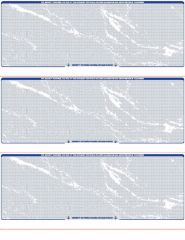
Order blank checks 3 per page when volume leads the decision. Middle and bottom check positions are also available under the blank checks category for software that expects them.
One detail worth checking on any layout: the perforation. A clean micro-perforated edge is what separates a professional check from one that looks torn out of a notebook, and it matters to the vendors and employees who receive them.
Security Built Into the Paper
Blank stock has a unique security consideration: until you print, the sheet carries no account details, but after you print, everything sensitive on the check came from your own office. The paper has to do the protective work.
Quality blank check stock is security paper with multiple built-in fraud deterrents, and ours ships with those features as standard. Store it locked, count sheets like cash, and account for spoiled pages. A stolen blank sheet is more dangerous than a stolen pre-printed check, because a thief can print any account details onto it.
Want to preview the layout first? Our guide to sample blank check templates shows standard check dimensions. If you need paper quickly, our guide to rush blank check stock explains how to get it shipped fast.
Who Should Use Blank Check Stock (and Who Should Not)
Blank stock earns its setup when:
- You print checks from two or more bank accounts, or for more than one business entity, and want one paper supply instead of separate pre-printed boxes.
- Your check volume is high enough that per-check economics matter.
- You change banks or accounts often enough that pre-printed stock keeps going stale in the drawer.
- You already run check printing software, so the setup cost is behind you.
Skip it and buy pre-printed when: you print from a single account, write a modest number of checks, and would rather load paper and press print. Computer checks arrive with the MICR line already printed to banking specifications, and QuickBooks checks do the same for QuickBooks users. No MICR toner, no extra software.
Common Blank Check Stock Mistakes to Avoid
Printing the MICR line in regular toner. It looks identical to the eye and fails at the bank's reader. Magnetic ink is not optional.
Buying the wrong layout. Software set to a voucher layout will never align on 3-per-page stock. Check your print settings before ordering, and name your software at checkout so the stock matches.
Skipping the plain-paper test. Print the first run of any new setup on plain paper, hold it over a check sheet against the light, and adjust alignment before committing real stock.
Leaving stock in the printer tray. Blank sheets in an open tray are an invitation. Load what you print, remove what you do not.
Letting one person own the whole process. The person who prints checks and the person who reconciles the account should not be the same person if headcount allows. It is the oldest internal control there is, and it works.
Ordering Blank Check Stock With Next-Day Delivery
Blank check paper runs out the same way pre-printed checks do: suddenly, and usually mid payment run. Here is the timeline when you restock with us.
- Order before 2:00 PM EST, Monday through Friday, and your blank check stock ships the same business day for next business day arrival.
- Choose your layout and color, and tell us which software you print from so the stock matches your setup.
- Security features come standard on every sheet, in all twenty colors.
- We have printed and shipped business checks since 1997 and back the timeline with an on-time shipping guarantee.
About the Author
This guide was written by the Checks Next Day production team, which has printed and shipped business checks and blank check stock across the United States since 1997. The team works daily with MICR printing standards, check layouts, and accounting software compatibility, and reviews every guide against current production specifications before publishing.
Standard business checks print on an 8.5 x 11 inch sheet with a check body of about 8.5 x 3.5 inches, and they mail in check-size double window envelopes, which sit between the standard #9 and #10 business envelope sizes. Match the envelope to the check layout and the printed addresses line up with the windows, so nothing gets handwritten.
That is the quick answer. The full picture includes stub dimensions, wallet checks, window placement, and folding, and getting any of them wrong means re-stuffing a mail run by hand. Here is every measurement in one place.
TL;DR: Check and Envelope Sizes at a Glance
Short on time? These five lines cover the essentials.
- Business check sheets are 8.5 x 11 inches, with a check body of about 8.5 x 3.5 inches and stubs filling the rest of the page.
- Check envelopes are double window envelopes sized for a Z-folded check sheet, with windows for the return address and the payee address.
- #9 envelopes measure 3 7/8 x 8 7/8 inches and #10 envelopes measure 4 1/8 x 9 1/2 inches, the two standard business envelope references.
- QuickBooks checks mail without hand-addressing when the envelope windows match the layout, which is what check-specific envelopes are made for.
- Closure is a preference: gum flap for the classic seal, peel-and-seal for speed on bigger mail runs.
Standard Business Check Sizes
Every printable business check format starts from the same sheet.
| Item | Dimensions | Notes |
|---|---|---|
| Full check sheet | 8.5 x 11 in | Standard letter size, feeds any laser or inkjet printer |
| Business check body | About 8.5 x 3.5 in | The detachable check on voucher and 3-per-page layouts |
| Voucher check stubs | Two stubs, roughly 3.5 to 3.75 in tall each | Check on top, two record stubs below |
| 3-per-page checks | Three 8.5 x 3.5 in checks per sheet | No stubs, records live in the check register |
| Wallet / personal check | About 6 x 2.75 in | Smaller personal-size format |
Whether the check body sits at the top, middle, or bottom of the sheet is a software question, not a size question. Every layout of our computer checks uses the same sheet and check body dimensions, so one envelope size covers all of them.
Check Envelope Sizes and Dimensions
Envelope sizes follow fixed standards, which makes the reference chart simple.
| Envelope | Dimensions | Typical use |
|---|---|---|
| #8 5/8 (check size) | 3 5/8 x 8 5/8 in | The classic check envelope standard |
| Double window check envelope | Commonly about 3 5/8 to 3 7/8 x 8 5/8 to 8 7/8 in | Sized for a Z-folded business check sheet |
| #9 envelope | 3 7/8 x 8 7/8 in | Reply envelopes, fits inside a #10 |
| #10 envelope | 4 1/8 x 9 1/2 in | Standard business letter envelope |
The practical takeaway: a check envelope is deliberately shorter than a #10. The tighter fit keeps the folded check sheet from shifting, which is what holds the printed addresses steady behind the windows in the mail.
Double Window Envelopes: How Window Placement Works
A double window envelope has two poly windows: the upper left window shows your business name and return address, and the lower window shows the payee name and address. Both are printed on the check itself, so a correctly matched envelope means zero hand-addressing and zero label printing.
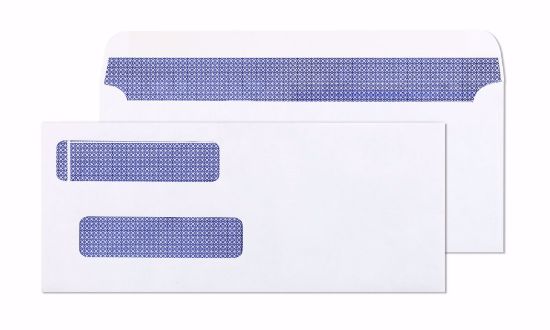
Two details matter beyond the windows:
Security tint. A printed interior pattern that stops routing and account numbers from being readable through the paper. Our double window envelopes include security tint as standard and are guaranteed to match our checks.
Window alignment with your check layout. Address positions differ slightly between check layouts, which is why envelopes designed for your specific checks beat generic office-supply envelopes. A window that clips half the ZIP code is a returned payment.
Self-Seal vs Gum Flap: Choosing the Closure
Both closures mail identically. The difference is speed and preference.
Gum flap. The traditional moisten-and-press seal. Reliable, familiar, and suited to smaller mail runs.
Peel and seal. Remove the liner, fold the flap, press. No moisture, no sponge, and much faster when accounts payable mails a stack of checks at once.
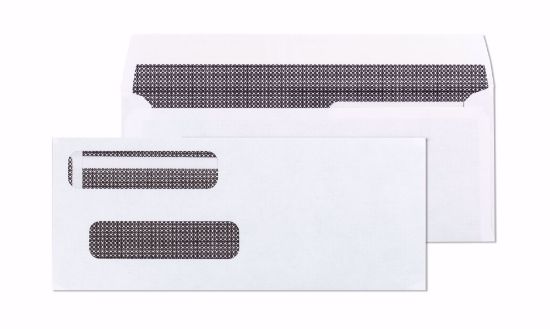
Our double window peel and seal envelopes add a black tint interior for extra confidentiality and are the convenient pick for mailing QuickBooks checks and invoices in volume.
How to Fold a Business Check for a Double Window Envelope
The fold is a Z-fold, and it takes four steps:
- Place the printed sheet face up with the check body panel in view.
- Fold along the perforations so the sheet forms a Z, with the check panel on the outside facing you.
- Slide the folded sheet into the envelope with the check panel facing the windows.
- Confirm both addresses are fully visible through the windows before sealing. Check the first envelope of every run, then batch the rest.
If an address sits half out of the window, the fold landed off the perforation or the envelope does not match the check layout. Fix it on envelope one, not envelope forty.
Envelopes for QuickBooks Checks
QuickBooks prints the payee address on the check in a fixed position, which is exactly what double window envelopes are designed around. Voucher checks from QuickBooks checks fold so the check panel faces the windows, and the addresses QuickBooks printed do the rest.
The practical tip: order envelopes and checks together. One order means one shipment, one delivery date, and envelopes guaranteed to match the checks in the same box, which matters most when the mail run is tomorrow.
Wallet and Personal Check Envelope Sizes
Not every check in a business travels on a full 8.5 x 11 sheet. Owner draws, reimbursements, and payments from personal accounts often go out on wallet-size checks, and those need a different envelope answer.
A wallet or personal check measures about 6 x 2.75 inches, which means it fits comfortably inside a standard #6 3/4 personal envelope, a #9, or even a #10 with room to spare. Because the check is smaller than the envelope in every direction, window alignment is not the concern it is with full-sheet business checks. The address simply gets written or printed on the envelope face.
Two practical notes for mixed offices that run both sizes:
Keep the stocks separate. A wallet check slipped into a batch of full-sheet voucher checks will rattle loose inside a check-size double window envelope, and a loose check is how addresses disappear behind paper edges in the mail.
Personal size does not mean personal account only. QuickBooks Desktop prints wallet checks for business accounts too, so if your office uses that format, size your envelope purchase to match both check types you actually mail in a month.
Mailing Business Checks Safely
The envelope is the only thing standing between your account details and everyone who handles the mail. A few habits make it a much better guard.
Use security tint, always. Hold a plain white envelope with a check inside up to a bright light and the routing line reads straight through the paper. Security-tinted envelopes exist to defeat exactly that. Both our gum flap and peel-and-seal double window envelopes carry the tint as standard.
Mail from a secure point. Checks left in an unattended outgoing mailbox with the flag up are the easiest target there is. Hand batches to your carrier, use a collection box near its pickup time, or drop them at the post office.
Seal completely. A gum flap pressed for a second along its full length, or a peel-and-seal liner removed entirely before pressing, keeps a corner from lifting in sorting machines. Lifted corners snag, and snagged envelopes tear.
Record before you mail. Check number, payee, amount, and date, either on the stub or in your register. If an envelope ever goes missing, that record is what makes the stop payment call fast instead of frantic.
Envelope security and check security work as a pair. The envelope hides the document in transit, and the check stock defends itself if the envelope is breached, which is why matched checks and envelopes ordered together beat mixing suppliers.
Quick Buying Checklist
- Match the envelope to the check, not the other way around. Check-specific double window envelopes align with printed address positions.
- Insist on security tint. Your account details should not be readable through the envelope under a light.
- Pick the closure for your volume. Gum flap for occasional mailing, peel and seal for regular batches.
- Order with your checks. Same shipment, same arrival, guaranteed match.
About the Author
This guide was written by the Checks Next Day production team, which has printed business checks and matched check envelopes for companies across the United States since 1997. The team works daily with check sheet layouts, window placement, and mailing specifications, and reviews every guide against current production standards before publishing.
High security business checks are checks printed on tamper-resistant stock that layers multiple fraud deterrents, such as microprinting, a void pantograph, chemically reactive paper, and watermarks, into one document. The layers work together: each feature defends against a different attack, from check washing to counterfeiting to forgery.
Standard check stock leaves most of those attacks unanswered. This guide explains what separates secure business checks from basic paper, how the protection changes across manual, computer, and QuickBooks formats, and what to verify before you place an order.
TL;DR: High-Security Business Checks at a Glance
In a hurry? Here is the whole guide in five lines.
- High security means layered features. One feature stops one type of fraud. Quality stock combines microprinting, void pantograph, chemical wash protection, watermarks, and more.
- Every format can be secure. Manual books, computer checks, QuickBooks formats, and blank stock all come on protected paper.
- The MICR line is the anchor. Bank details print in magnetic ink to banking specifications, on pre-printed checks before shipping or via MICR toner on blank stock.
- Paper is half the defense. Pair secure checks with positive pay at your bank to match every check presented against the checks you actually issued.
- Speed does not cost security. Orders placed before 2:00 PM EST Monday through Friday ship the same day on secured stock.
What Makes a Business Check High Security?
The difference is not one magic feature. It is layering.
Check fraud comes in three flavors: washing, where chemicals erase the payee or amount; counterfeiting, where the check is copied or scanned; and forgery or alteration, where printed details are changed. A check protected by a single feature is protected against a single attack.
High security business checks stack defenses so that whichever route a fraudster tries, at least one layer exposes the attempt before your bank pays it.
The Security Features That Matter Most
Here is the working set, and the fraud each one is built to stop.
| Feature | What it does | Stops |
|---|---|---|
| Microprinting | Tiny text that blurs when copied or scanned | Counterfeiting |
| Void pantograph | Hidden pattern that prints VOID on photocopies | Counterfeiting |
| Chemically reactive paper | Stains visibly when washing chemicals touch it | Check washing |
| Security screen | Background wording that vanishes on copies | Counterfeiting |
| Watermark | Visible at an angle, absent on reproductions | Counterfeiting |
| Heat-sensitive ink | Reacts to fingertip warmth as an instant authenticity test | Counterfeiting |
| Toner adhesion coating | Bonds printed details so they cannot be lifted or scraped | Forgery and alteration |
The MICR line anchors all of it. Your ABA routing number and account number print along the bottom edge in magnetic ink to banking industry specifications, which is what lets bank equipment process the check and flag documents that do not read cleanly.
Are High Security Checks Worth It?
The honest math: a single successful check washing incident typically costs more than years of secure check stock. The check that leaves your office carries your account number, your signature, and your business name. Recovering from fraud means bank disputes, stopped payments, new accounts, and reprinted stock, all while vendors wait.
Secure stock is the cheap insurance in that equation. For a business writing checks regularly, the question is less whether the protection is worth it and more why anyone would mail an unprotected document with their account details on it.
High Security Manual Business Checks
Handwritten checks need the protection most, because they travel. A pocket book rides in a vehicle, a deskbook sits in an open office, and every check written by hand is complete and cashable the moment it is signed.
Our manual business checks print on secured stock across all five formats: accounts payable, multi purpose, payroll, pocket, and executive deskbook. Each check includes a stub, so your handwritten record exists from the moment of payment, which is itself a fraud control since altered checks get caught fastest by a bookkeeper comparing stubs to statements.
High Security Computer and Laser Checks
Computer checks arrive with your bank details and MICR line already printed to specification, so the most sensitive part of the document is produced under controlled conditions rather than in your office.
All four layouts of our computer checks, check on top, check in middle, check on bottom, and 3 per page, run through any standard laser or inkjet printer with no MICR toner required. Security features are standard, along with a range of colors, and the toner adhesion layer matters here specifically: the payee and amount your printer adds are exactly what forgers target.
High Security Business Checks for QuickBooks
Running QuickBooks does not change the security question, only the format. QuickBooks-compatible checks come on the same secured stock in three formats: voucher checks with the check on top for payroll and accounts payable, 3 per page for volume, and wallet checks for personal-size printing from QuickBooks Desktop.
Browse the secured range under QuickBooks checks. Voucher and 3-per-page formats cover both QuickBooks Desktop and QuickBooks Online.
Blank Check Stock: Security When You Print Everything
Blank check stock carries no bank details until your laser printer adds them with MICR toner. That flexibility, one paper for every account, comes with a responsibility: the stock itself must carry the security, because there is nothing else on the page until you print.
Our blank checks use secured stock in the same four layouts as computer checks. Store blank stock locked and count sheets like cash: a stolen blank check is more dangerous than a stolen pre-printed one, since a thief can print any account details onto it.
Pair the Paper With Positive Pay
Secure paper stops fraud on the document. Positive pay stops it at the bank.
Positive pay is a bank service where you send a list of every check you issue, with check number, amount, and payee. When a check is presented for payment, the bank matches it against your list and flags anything that does not line up, including washed amounts and counterfeit check numbers.
Ask your bank about it, especially if you print checks in volume. High security stock plus positive pay covers both ends of the transaction: the paper defends itself in the wild, and the bank verifies it at the finish line.
How to Order High Security Business Checks
Five checks before checkout:
- Match the format to your workflow. Handwritten payments call for manual books. Software printing calls for computer or QuickBooks checks in the layout your print settings expect. Multiple accounts call for blank stock with MICR toner.
- Copy your bank details from an existing check. Routing number, account number, and starting check number, taken from the same account, never from memory.
- Continue your check number sequence. Unbroken numbering keeps reconciliation clean and makes missing checks visible fast, which is a fraud control in itself.
- Keep the logo print-friendly. Logo setup is free with black artwork on a white background in BMP or JPG format. Color logos are available on standard orders but are not eligible for overnight shipping.
- Beat the cutoff. Orders placed before 2:00 PM EST Monday through Friday print and ship the same business day for next business day arrival, with free shipping.
About the Author
This guide was written by the Checks Next Day production team, which has printed and shipped secured business checks across the United States since 1997. The team works daily with security check stock, MICR printing specifications, and every major business check format, and reviews each guide against current industry standards before publishing.
Business checks come in four main types: computer checks that print from accounting software, manual checks written by hand from a binder or deskbook, blank check stock you print yourself with MICR toner, and software-specific formats such as QuickBooks checks. The right type depends on how you pay, not on how the check looks.
Order the wrong format and the box is useless the day it arrives. This guide walks through every business check format, what each one is built for, and the quick questions that point you to the right choice.
TL;DR: The 5 Types of Business Checks at a Glance
Short on time? Here is the entire guide in five lines. Match your payment workflow to a format below, then read its full section for the details.
- Computer checks print from accounting software in four layouts: check on top, check in middle, check on bottom, and 3 per page. Your software decides the layout.
- Manual checks are written by hand with a record stub. Best for low volume and payments away from a desk. No printer or software needed.
- Blank check stock has no bank details printed. You add them with MICR toner, so one stock can cover several bank accounts.
- QuickBooks checks are pre-formatted for QuickBooks Desktop and Online in voucher, 3-per-page, and wallet formats.
- Legacy formats like one-write pegboard systems and continuous pin-feed checks have modern equivalents in today's manual and computer checks.
The Two Big Categories: Printed vs Handwritten
Every business check format answers one question first: does a machine fill it in, or does a person?
Printed formats (computer checks, blank stock, QuickBooks checks) feed through a laser or inkjet printer and pull payment details straight from your accounting software. They win on volume, batch runs, and automatic bookkeeping.
Handwritten formats (manual checks in binders, deskbooks, or pocket books) need no printer and no software. They win on simplicity, portability, and low check volume. Many businesses run both at once, one for scheduled payment runs and one for the ad hoc payments that happen away from the desk.
Computer Checks: The Standard for Software Printing
Computer checks, also called laser checks, are pre-printed with your bank details and MICR line, then completed by your printer. They run on standard laser or inkjet printers with no special toner, because the magnetic ink line arrives already printed to banking specifications.
The four layouts differ only in where the check body sits on the page, and your accounting software decides which one you need.
Check on Top (Voucher Check)
The check prints at the top with two stubs below, one for the payee and one for your records. This voucher check layout is the most widely used format for payroll and accounts payable, and it is the position QuickBooks and Quicken expect.
Check in Middle
The check body sits between two detailed stubs, which suits businesses that want full records on both sides of a transaction. Sage 50 commonly expects this position.
Check on Bottom
The check prints at the foot of the sheet so the remittance portion separates cleanly for filing. Programs such as DacEasy and MAS 90 use this format.
3 Per Page (Standard Check)
Three checks to a sheet with no stubs, the economical pick for high-volume check runs where the record lives in your check register instead of on paper.
Browse all four layouts under computer checks. If you are replacing existing stock, match the position of the check body on a check you already use.
Manual Business Checks: Handwritten With a Built-In Record
Manual checks are written by hand from a bound book, with a stub beside each check that records the payee, amount, and purpose as you write. Nothing to install, align, or configure.
Manual checks come in five working formats:
Accounts payable checks. Three to a page in a binder, with stub space for invoice references. Built for paying suppliers and vendors.
Multi purpose checks. A general disbursement format for the payments that do not fall into neat categories.
Payroll checks. Laid out for wage payments, with stub detail that payroll records demand. Suited to small teams paid by hand.
Pocket checks. Compact and portable with a vinyl cover and deposit slips, for owners who write payments on the move.
Executive deskbook. A three-per-page binder-compatible book with customizable paper colors, for businesses where the check itself is part of the impression.
See every handwritten format under manual business checks.
Blank Check Stock: One Paper, Every Account
Blank check stock is secure check paper with no bank details printed on it. Your own laser printer adds the routing number, account number, and MICR line using MICR toner and check printing software.
The advantage is flexibility. A business printing from several bank accounts keeps one paper supply instead of separate pre-printed boxes per account. The tradeoff is equipment: blank stock is the only format on this list that requires MICR toner. Blank checks come in the same four layouts as computer checks, available under blank checks.
QuickBooks Checks: Formatted for the Software You Already Run
If your books live in QuickBooks, the fastest path is stock already formatted for it. QuickBooks checks come in three formats: the voucher check on top for payroll and accounts payable, 3 per page for volume, and wallet checks for personal-size printing from QuickBooks Desktop.
All three work with QuickBooks Desktop, and voucher and 3-per-page formats also cover QuickBooks Online. Explore the range under QuickBooks checks. Businesses running Xero, Quicken, or Sage 50 use the matching computer check layout instead.
Wallet Checks and the Personal Checkbook
Wallet checks are the personal-size format, smaller than a full business sheet, with a compact stub. They suit owner draws, sole proprietors, and payments from personal accounts. If you need a handwritten personal-size book rather than a printable format, see the personal checkbook range.
Legacy Formats You Might Still Hear About
Two older formats still come up in conversation, usually from businesses that have been writing checks for decades.
One-write and pegboard systems. A carbon-backed setup where writing one check simultaneously created the journal entry underneath. The modern equivalent is the manual check with a stub: same single-step record, without the pegboard hardware.
Continuous checks. Pin-feed checks on perforated rolls for dot matrix printers. Laser checks replaced them as printers changed, and today's 3-per-page computer check covers the same high-volume role on standard equipment.
If you are replacing either system, a manual deskbook or a computer check layout will slot into the same workflow.
Every Business Check Format Compared
| Type | How it is completed | Best for | Printer needed |
|---|---|---|---|
| Computer check (top, middle, bottom, 3 per page) | Printed from accounting software | Payroll, accounts payable, batch runs | Standard laser or inkjet |
| Manual check (5 formats) | Written by hand, stub keeps the record | Low volume, payments on the go | None |
| Blank check stock | You print bank details and payment | Multiple bank accounts, full control | Laser with MICR toner |
| QuickBooks check (voucher, 3 per page, wallet) | Printed from QuickBooks | QuickBooks Desktop and Online users | Standard laser or inkjet |
| Wallet / personal checkbook | Handwritten or printed, personal size | Owner draws, personal accounts | Depends on format |
How to Choose: Three Questions That Settle It
1. Do you print from software?
Yes: computer checks, or QuickBooks checks if that is your platform. No: manual checks.
2. How many bank accounts do you print from?
One or two: pre-printed stock is simpler. Several: blank check stock covers them all with one paper.
3. Which layout does your software expect?
Open your print settings before ordering. Check on top pairs with QuickBooks and Quicken, middle with Sage 50, bottom with DacEasy and MAS 90. Replacing existing checks? Match the position of the check body on the stock you already use.
Whichever type fits, orders placed before 2:00 PM EST Monday through Friday print and ship the same business day for next business day arrival. You can compare the full range from our business checks hub.
Placing your first order? Our guide to ordering business checks for the first time covers what to have ready before you check out.
About the Author
This guide was written by the Checks Next Day production team, which has printed and shipped every major business check format across the United States since 1997. The team handles computer, manual, blank, and QuickBooks check production daily, and reviews each guide against current print and software specifications before publishing.
A blank check hologram is a metallic foil graphic embedded in check stock that shifts appearance when tilted, making the document nearly impossible to photocopy or scan convincingly. It works alongside watermarks, microprinting, and chemically reactive paper to form the layered security that separates high security check paper from plain printer paper.
If you are comparing blank checks for your business, the security layer is the part you cannot see in a product photo and the part that matters most the day someone tries to tamper with a payment. This guide explains every major feature in plain English, what each one actually stops, and how to verify them on the checks in your drawer.
Why Blank Check Security Matters More Than Ever
A business check carries your routing number, account number, business name, and a signature sample on a single piece of paper. That makes every check a target for three kinds of fraud.
Check washing. Criminals use household chemicals to erase the payee or amount and rewrite the check to themselves.
Counterfeiting. A stolen or intercepted check is scanned, copied, and reprinted in bulk.
Alteration. Printed details are scraped, lifted, or overwritten on the original document.
No single feature stops all three. That is why quality check stock layers multiple defenses, and why knowing what each layer does helps you order the right paper instead of the cheapest one.
What Is a Blank Check Hologram?
A hologram on a check is a three-dimensional foil graphic bonded into the paper during production. Tilt the check and the image shifts color or depth. That optical movement is the entire point: photocopiers and scanners capture a flat image, so a copied check shows a dull gray patch where the hologram foil should shimmer.
Holograms defend against counterfeiting specifically. They do not stop washing or alteration, which is why hologram checks still need chemically reactive paper underneath.
How to verify a hologram in two seconds: hold the check flat, then tilt it toward a light source. A genuine foil shifts and reflects. A printed imitation stays flat and identical from every angle.
The Full Stack of Check Security Features
Here is what each feature does and the fraud it is built to stop.
Void Pantograph
A hidden pattern in the check background, invisible during normal use. Photocopy the check and the word VOID appears across the duplicate, because copiers cannot reproduce the subtle color difference between the pattern dots and the background.
Microprinting
Tiny text, often along the signature line or border, that reads as a solid line to the naked eye. Copiers and scanners cannot resolve characters this small, so on a counterfeit the microprint dissolves into a blurred smudge that bank equipment and trained staff can spot.
Chemically Reactive Paper (Chemical Wash Protection)
The paper is treated with compounds that react to bleach, acetone, and other washing agents. Any attempt to chemically erase the payee or amount leaves visible stains or discoloration, so a washed check announces itself the moment it reaches a teller.
Check Watermark
A design pressed into or printed onto the paper that is visible when held at an angle or up to light, but does not reproduce on photocopies. Watermarks give the person receiving a check a fast, no-equipment way to confirm they are holding an original document.
Security Screen
Faint background wording, such as ORIGINAL DOCUMENT, printed on the back of the check. Like microprint, it blurs or vanishes on copies.
Toner Adhesion
A coating that bonds laser printer toner tightly to the paper. Without it, printed details can be lifted off with tape or scraped away and retyped. This feature matters most on blank check stock, because everything critical on a blank check is applied by your own laser printer.
Heat-Sensitive Ink
An ink patch that fades or changes color from the warmth of a fingertip, then returns as it cools. Copies cannot reproduce the effect, which makes it a quick authenticity test anyone can perform.
Which Feature Stops Which Fraud
| Security feature | Check washing | Counterfeiting | Alteration |
|---|---|---|---|
| Hologram foil | No | Yes | No |
| Void pantograph | No | Yes | No |
| Chemically reactive paper | Yes | No | Partial |
| Microprinting | No | Yes | No |
| Watermark | No | Yes | No |
| Toner adhesion | Partial | No | Yes |
| Heat-sensitive ink | No | Yes | No |
Read the table vertically and the lesson is clear: a check protected by only one feature is protected against only one kind of fraud. Layers are the strategy.
The Padlock Icon: What It Certifies
The small padlock icon printed on many business checks is not decoration. It is an industry mark administered by the Check Payment Systems Association, and a check may only display it when the document includes a minimum set of fraud deterrents. A matching notice on the back of the check lists the features present.
For anyone receiving a check, the padlock is a fast signal that the document was produced on secured stock. When you order checks, it is the simplest single marker of a serious security standard.
High Security Check Paper vs Standard Stock
Basic commercial check stock typically carries a simple void pantograph and little else. High security check paper layers most or all of the features above into one sheet.
For blank check stock, the difference matters twice. First, the paper itself is the product: your printer adds the bank details, so the stock must carry the security. Second, blank checks print with MICR toner, and a toner adhesion coating protects exactly that printed MICR line and payment data from being lifted or altered after printing.
Our blank checks are produced on secured stock with built-in security features, are compatible with QuickBooks and other major accounting software, and ship the same day when ordered before 2:00 PM EST.
How to Verify Security Features in 60 Seconds
Run this quick test on any check stock you receive:
- Tilt it. A genuine hologram shifts and reflects light. Heat-sensitive patches respond to a fingertip.
- Hold it to light. A watermark should appear at an angle and disappear face-on.
- Photocopy one. The word VOID should surface on the copy, and microprint should blur into a broken line.
- Check the back. Look for the padlock icon notice and the list of included features.
- Inspect the borders. Run a magnifier along the signature line to confirm the microprinting is real text, not a printed line.
Choosing Secure Blank Checks for Your Business
Blank checks come in four layouts: check on top, check in middle, check on bottom, and three per page. The layout you choose follows your accounting software, and the security travels with the paper regardless of position.
Choose blank checks on top for the voucher-style position most payroll and accounts payable software expects, or blank checks 3 per page when volume and economy lead the decision.
Prefer checks that arrive with your bank details already printed, so no MICR toner is needed at all? Computer checks are the pre-printed alternative, with the MICR line applied to banking specifications before the box ships. You can compare every format we produce from our business checks hub.
Office Habits That Complete the Protection
Even the most secure paper cannot protect a check that is handled carelessly. Three habits close the remaining gap.
Store blank stock like cash. A locked drawer or cabinet, with access limited to the people who print checks. Blank stock is more sensitive than pre-printed checks because a thief can print any account details onto it.
Reconcile quickly. Compare your check register against your bank statement every cycle. Washed and counterfeited checks are caught fastest by the bookkeeper who notices a payee or amount that does not match.
Control the print run. Print checks in numbered sequence, account for spoiled sheets, and never leave finished checks sitting in the printer tray.
About the Author
This guide was written by the Checks Next Day production team, which has printed and shipped secured business checks across the United States since 1997. The team works with security check stock, MICR printing standards, and accounting software formats every day, and reviews each guide against current industry specifications before publishing