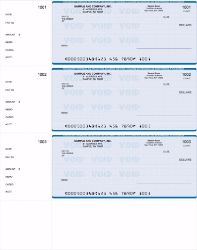
QuickBooks Checks at a Glance
Order QuickBooks checks before 2:00 PM EST Monday through Friday and we print and ship them the same business day for next business day arrival. Shipping is free.
Cutoff: 2:00 PM EST, Monday to Friday, excluding holidays
Shipping cost: Free, including next day delivery
Carrier: UPS Overnight Air, guaranteed by 10:30 AM in most commercial areas
Formats: Three on a page, check on top with two stubs, QuickBooks personal checks
Compatibility: Works with QuickBooks Desktop and QuickBooks Online
Logo setup: Free
Guarantee: On time shipping, backed by a refund if our production causes a delay
Can You Order QuickBooks Checks Online for Next Day Delivery?
Yes. Place your order before 2:00 PM EST on a business day and your QuickBooks checks print and ship the same afternoon, arriving the next business day. Shipping is free, including overnight. No minimum order and no subscription.
Businesses looking for fast business checks are rarely comparison shopping. A payment run is scheduled, payroll is due, or a bank change made the existing stock unusable. What matters is the arrival date, not the catalog.
That is the whole reason this operation exists. Speed is the default service rather than a paid tier you unlock at checkout.
What Is the Cutoff to Get Checks Overnight?
The cutoff is 2:00 PM EST, Monday through Friday, excluding holidays. Orders approved before then ship the same day. Three windows determine when your order leaves the building.
Before 2:00 PM EST. Prints and ships the same day, arrives next business day, free.
Between 2:00 and 5:00 PM EST. Ships the next business day at no cost. An optional $25 rush fee can still put it on track for next business day arrival if you cannot wait.
After 5:00 PM EST. Ships the next business day, free.
Weekend and legal holiday orders cannot be guaranteed for next day arrival, though they typically ship first thing the next business day. Plan Friday orders around the morning cutoff if the checks are needed before Monday.
Full detail sits in our shipping policy, and our guide to today's shipping cutoff covers how timing shifts your arrival date.
Searching for Business Checks QuickBooks Near Me?
You do not need a local supplier. A print shop nearby still has to set up your bank details, run a proof, and schedule production, which usually takes several days. We print the same day and UPS delivers to your door the next business morning.
Ordering online also removes the part that causes most errors in local orders. You enter your routing number, account number, and starting check number yourself rather than relaying them verbally, so what prints is exactly what you submitted.
We ship anywhere in the United States at no cost, so your location has no bearing on price or speed.
Which QuickBooks Check Format Do You Need?
QuickBooks supports several check styles, and the one you order has to match what your company file is configured to print. Choosing wrong means misalignment or stubs that do not line up with your remittance data.
QuickBooks Checks on Top
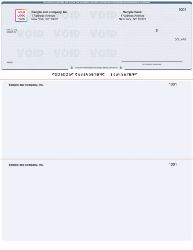
The check body prints at the top of the sheet with two stubs beneath it. In QuickBooks this corresponds to the voucher style, and it is the format most businesses choose for accounts payable and payroll because the stubs carry invoice detail plus your own file copy. Order QuickBooks checks on top.
QuickBooks Checks Three on a Page
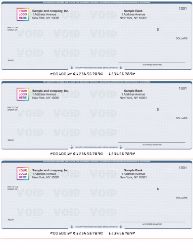
Three checks print per sheet with no stubs, which puts more checks in every box and keeps your cost per check down. This suits businesses that write checks by hand or that track payment detail inside QuickBooks rather than on paper. Order three on a page QuickBooks checks.
QuickBooks Personal Checks
A tri-fold wallet format with the stub on the left for record keeping, available in a range of designs and colors and sized to fit our bookbinder. Built for individual financial management rather than company payment runs. Order QuickBooks personal checks.
Replacing checks you already print? Take an existing check and match the position of the check body against the three formats above. That single step prevents almost every alignment problem.
Setting Up Check Printing in QuickBooks
Do You Have to Buy Checks From Intuit?
No. QuickBooks does not require checks purchased through Intuit. Any check formatted to the correct style and dimensions will print and bank normally, which is why third party QuickBooks compatible checks are widely used. What matters is matching the style your company file expects.
Our checks carry your bank details and MICR line already printed, so they clear exactly as bank issued checks do.
How Do You Align QuickBooks Checks?
QuickBooks includes an alignment tool in its print setup. Run a sample on plain paper first, hold it against a real check to compare position, then adjust the vertical and horizontal offsets until the fields land correctly. Save the setting once and it holds for future runs.
Three things cause most alignment complaints. The check style selected in QuickBooks does not match the stock in the tray. The printer is scaling the page instead of printing at actual size. Or the sheet is loaded facing the wrong way. Working through those in order resolves the majority of cases.
Always run your test on plain paper. Test printing directly onto real check stock wastes checks you may need that week.
Which QuickBooks Versions Do These Work With?
Our QuickBooks checks are formatted to integrate with QuickBooks software, covering both QuickBooks Desktop and QuickBooks Online. Select the format matching your configured check style and your print setup should align on the first attempt.
Running more than one accounting package? We also supply Xero compatible checks, Quicken compatible checks, MYOB compatible checks, Yardi compatible checks, and Deltek compatible checks. Browse everything on our accounting software checks page.
Do You Need a Special Printer?
No. Because your bank details and MICR line arrive pre printed, any standard laser or inkjet printer handles these checks. No MICR toner, no dedicated check printer, no additional software.
MICR toner is only needed if you intend to print bank details yourself, which is the purpose of blank check stock. That approach suits businesses printing across several bank accounts from a single paper supply.
What You Need Before Ordering
Four details complete the order: your bank routing number, your account number, your starting check number, and your business name and address as it should print. Each one appears on an existing check drawn on the same account.
Routing and account numbers. Both sit inside the MICR line along the bottom edge of any current check.
Starting check number. Continue your existing sequence so QuickBooks does not flag duplicates during reconciliation.
Business name and address exactly as it should appear on the face of the check.
Your logo, free of charge. Black artwork on a white background in BMP or JPG reproduces most cleanly. Color logos are available on standard checks but are not eligible for overnight shipping.
Send artwork to sales@checksnextday.com quoting your order number. Requesting a proof pauses production until you approve it, so on urgent orders we suggest skipping it.
Ordering envelopes at the same time keeps everything on one shipment and one delivery date. Our double window envelopes and self seal double window envelopes are sized so the payee and address show correctly without refolding.
QuickBooks Checks or Another Format?
QuickBooks checks make sense when QuickBooks is where your payments live. Other setups call for something different.
Printing from a different program, or from several? Our computer checks range covers check on top, three per page, check in middle, and check on bottom layouts for a wider set of accounting software.
Writing checks by hand instead? Manual business checks come in binder and deskbook formats and need no printer at all.
Need checks on a personal account? See personal checks. To compare every format we carry, start at business checks.
Already Out of QuickBooks Checks?
Running out tends to surface at the worst moment. A payment run is scheduled, payroll is due tomorrow, or account details changed and the remaining stock is now worthless.
If that is where you are, order before 2:00 PM EST today and it ships this afternoon. Protect the timeline by keeping it simple. Skip the proof, skip the color logo, and check the delivery address carefully, since an address correction is the most common cause of a missed overnight delivery.
For the full picture of what has to line up for same day production, read how rush check printing works, or see what to do when you are out of checks today. Our guide to next day delivery for checks explains the timing rules in more depth.
Before you order, it helps to confirm your setup. Our QuickBooks check compatibility guide covers versions and layouts, this walkthrough shows how to print checks in QuickBooks Online, and this chart shows which checks work with QuickBooks, Quicken and Sage 50.
Ordering With Confidence
We have printed and shipped business checks since 1997, and the business is built around one promise rather than a broad catalog. Your checks print today and arrive tomorrow.
Shipping is free, including next day, so speed carries no premium. Logo setup is free. The production cutoff is published at the top of every page so you always know where you stand against today's deadline. And we back it with an on time shipping guarantee. If a delay starts in our production department, we refund based on when your package actually arrives.
Orders are placed online, which keeps processing quick and accurate. We accept all major credit cards and PayPal. Sales tax applies only to orders shipped within New York State, and exemption forms can be emailed after checkout.
Questions first? Email sales@checksnextday.com, read more about Checks Next Day, or browse our frequently asked questions.