- - -
- hours mins seconds
to get your checks by
Monday, Sep. 28th

 0
0 You have no items in your shopping cart.
Types of Business Checks: Every Format Explained
Business checks come in four main types: computer checks that print from accounting software, manual checks written by hand from a binder or deskbook, blank check stock you print yourself with MICR toner, and software-specific formats such as QuickBooks checks. The right type depends on how you pay, not on how the check looks.
Order the wrong format and the box is useless the day it arrives. This guide walks through every business check format, what each one is built for, and the quick questions that point you to the right choice.
TL;DR: The 5 Types of Business Checks at a Glance
Short on time? Here is the entire guide in five lines. Match your payment workflow to a format below, then read its full section for the details.
- Computer checks print from accounting software in four layouts: check on top, check in middle, check on bottom, and 3 per page. Your software decides the layout.
- Manual checks are written by hand with a record stub. Best for low volume and payments away from a desk. No printer or software needed.
- Blank check stock has no bank details printed. You add them with MICR toner, so one stock can cover several bank accounts.
- QuickBooks checks are pre-formatted for QuickBooks Desktop and Online in voucher, 3-per-page, and wallet formats.
- Legacy formats like one-write pegboard systems and continuous pin-feed checks have modern equivalents in today's manual and computer checks.
The Two Big Categories: Printed vs Handwritten
Every business check format answers one question first: does a machine fill it in, or does a person?
Printed formats (computer checks, blank stock, QuickBooks checks) feed through a laser or inkjet printer and pull payment details straight from your accounting software. They win on volume, batch runs, and automatic bookkeeping.
Handwritten formats (manual checks in binders, deskbooks, or pocket books) need no printer and no software. They win on simplicity, portability, and low check volume. Many businesses run both at once, one for scheduled payment runs and one for the ad hoc payments that happen away from the desk.
Computer Checks: The Standard for Software Printing
Computer checks, also called laser checks, are pre-printed with your bank details and MICR line, then completed by your printer. They run on standard laser or inkjet printers with no special toner, because the magnetic ink line arrives already printed to banking specifications.
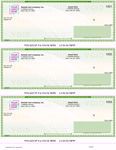
The four layouts differ only in where the check body sits on the page, and your accounting software decides which one you need.
Check on Top (Voucher Check)
The check prints at the top with two stubs below, one for the payee and one for your records. This voucher check layout is the most widely used format for payroll and accounts payable, and it is the position QuickBooks and Quicken expect.
Check in Middle
The check body sits between two detailed stubs, which suits businesses that want full records on both sides of a transaction. Sage 50 commonly expects this position.
Check on Bottom
The check prints at the foot of the sheet so the remittance portion separates cleanly for filing. Programs such as DacEasy and MAS 90 use this format.
3 Per Page (Standard Check)
Three checks to a sheet with no stubs, the economical pick for high-volume check runs where the record lives in your check register instead of on paper.
Browse all four layouts under computer checks. If you are replacing existing stock, match the position of the check body on a check you already use.
Manual Business Checks: Handwritten With a Built-In Record
Manual checks are written by hand from a bound book, with a stub beside each check that records the payee, amount, and purpose as you write. Nothing to install, align, or configure.
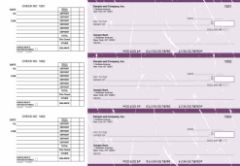
Manual checks come in five working formats:
Accounts payable checks. Three to a page in a binder, with stub space for invoice references. Built for paying suppliers and vendors.
Multi purpose checks. A general disbursement format for the payments that do not fall into neat categories.
Payroll checks. Laid out for wage payments, with stub detail that payroll records demand. Suited to small teams paid by hand.
Pocket checks. Compact and portable with a vinyl cover and deposit slips, for owners who write payments on the move.
Executive deskbook. A three-per-page binder-compatible book with customizable paper colors, for businesses where the check itself is part of the impression.
See every handwritten format under manual business checks.
Blank Check Stock: One Paper, Every Account
Blank check stock is secure check paper with no bank details printed on it. Your own laser printer adds the routing number, account number, and MICR line using MICR toner and check printing software.
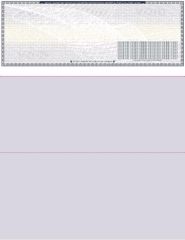
The advantage is flexibility. A business printing from several bank accounts keeps one paper supply instead of separate pre-printed boxes per account. The tradeoff is equipment: blank stock is the only format on this list that requires MICR toner. Blank checks come in the same four layouts as computer checks, available under blank checks.
QuickBooks Checks: Formatted for the Software You Already Run
If your books live in QuickBooks, the fastest path is stock already formatted for it. QuickBooks checks come in three formats: the voucher check on top for payroll and accounts payable, 3 per page for volume, and wallet checks for personal-size printing from QuickBooks Desktop.
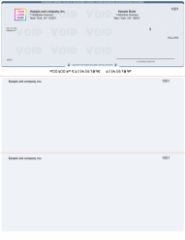
All three work with QuickBooks Desktop, and voucher and 3-per-page formats also cover QuickBooks Online. Explore the range under QuickBooks checks. Businesses running Xero, Quicken, or Sage 50 use the matching computer check layout instead.
Wallet Checks and the Personal Checkbook
Wallet checks are the personal-size format, smaller than a full business sheet, with a compact stub. They suit owner draws, sole proprietors, and payments from personal accounts. If you need a handwritten personal-size book rather than a printable format, see the personal checkbook range.
Legacy Formats You Might Still Hear About
Two older formats still come up in conversation, usually from businesses that have been writing checks for decades.
One-write and pegboard systems. A carbon-backed setup where writing one check simultaneously created the journal entry underneath. The modern equivalent is the manual check with a stub: same single-step record, without the pegboard hardware.
Continuous checks. Pin-feed checks on perforated rolls for dot matrix printers. Laser checks replaced them as printers changed, and today's 3-per-page computer check covers the same high-volume role on standard equipment.
If you are replacing either system, a manual deskbook or a computer check layout will slot into the same workflow.
Every Business Check Format Compared
| Type | How it is completed | Best for | Printer needed |
|---|---|---|---|
| Computer check (top, middle, bottom, 3 per page) | Printed from accounting software | Payroll, accounts payable, batch runs | Standard laser or inkjet |
| Manual check (5 formats) | Written by hand, stub keeps the record | Low volume, payments on the go | None |
| Blank check stock | You print bank details and payment | Multiple bank accounts, full control | Laser with MICR toner |
| QuickBooks check (voucher, 3 per page, wallet) | Printed from QuickBooks | QuickBooks Desktop and Online users | Standard laser or inkjet |
| Wallet / personal checkbook | Handwritten or printed, personal size | Owner draws, personal accounts | Depends on format |
How to Choose: Three Questions That Settle It
1. Do you print from software?
Yes: computer checks, or QuickBooks checks if that is your platform. No: manual checks.
2. How many bank accounts do you print from?
One or two: pre-printed stock is simpler. Several: blank check stock covers them all with one paper.
3. Which layout does your software expect?
Open your print settings before ordering. Check on top pairs with QuickBooks and Quicken, middle with Sage 50, bottom with DacEasy and MAS 90. Replacing existing checks? Match the position of the check body on the stock you already use.
Whichever type fits, orders placed before 2:00 PM EST Monday through Friday print and ship the same business day for next business day arrival. You can compare the full range from our business checks hub.
Placing your first order? Our guide to ordering business checks for the first time covers what to have ready before you check out.
About the Author
This guide was written by the Checks Next Day production team, which has printed and shipped every major business check format across the United States since 1997. The team handles computer, manual, blank, and QuickBooks check production daily, and reviews each guide against current print and software specifications before publishing.