
- - -
- hours mins seconds
to get your checks by
Tomorrow, Oct. 6th

 0
0 You have no items in your shopping cart.
Free Blank Check Templates: Samples and How to Use Check Stock
A sample blank check template is a design layout of a check with all the standard fields, the date line, payee line, amount box, memo, and signature line, but no real bank details. Templates built in Word or Excel work well for teaching, mockups, and record keeping. Real, bankable checks require security check stock and magnetic MICR printing, which no plain-paper template can provide.
This guide gives you everything a downloadable file would and more: the exact dimensions and field positions of a standard business check, step-by-step instructions to build the template in Word or Excel, the uses where a template is the right tool, and the clear line where template paper ends and real check stock begins.
Quick Summary: Blank Check Templates in Five Lines
- A template is a layout, not a check. It carries the standard fields at standard positions, with no bank details and no legal value.
- The standard business check measures about 8.5 x 3.5 inches on an 8.5 x 11 sheet. Build your template to those numbers and it looks right instantly.
- Templates are for education, training, and mockups. Classroom money lessons, bookkeeping practice, and design proofs. Mark every sample VOID.
- Templates cannot make bankable checks. Real checks need security paper and a MICR line printed in magnetic ink, which plain paper and regular ink cannot deliver.
- When you need real checks, blank check stock plus MICR toner and check software is the legitimate version of do-it-yourself printing.
What Is a Sample Blank Check Template?
A blank check template reproduces the face of a check with placeholder fields instead of real information. Most come in three flavors: Word templates built with text boxes and tables, Excel templates that use the cell grid for alignment, and printable PDF layouts for handwriting practice.
What all of them share is what they leave out. A template has no bank routing number, no account number, no magnetic ink, and no security paper. That absence is what makes templates safe to share freely, and also what makes them useless for actual payment, which is exactly how it should be.
Standard Check Dimensions and Anatomy (The Spec Every Template Needs)
A convincing template starts with the right numbers. Here is the spec sheet for a standard business check.
| Element | Specification | Position |
|---|---|---|
| Check body | About 8.5 x 3.5 inches | Full width of a letter sheet |
| Business name and address | 2 to 3 text lines | Top left |
| Check number | 3 to 6 digits | Top right |
| Date line | Short rule with label | Upper right, below the number |
| Payee line ("Pay to the order of") | Long rule | Left, middle band |
| Numeric amount box | Small ruled box with $ sign | Right end of the payee line |
| Written amount line | Full-width rule ending in "Dollars" | Below the payee line |
| Memo line | Short rule | Bottom left |
| Signature line | Short rule | Bottom right |
| MICR line (real checks only) | E-13B font in magnetic ink | Bottom edge strip |
On a template, represent the MICR strip with placeholder characters or leave it empty and label the zone. Only real check stock printed with magnetic ink can carry a working MICR line, and imitating one closely on a template invites exactly the confusion a VOID mark prevents.
How to Build a Blank Check Template in Word
- Open a new document and set the page to letter size with narrow margins.
- Insert a text box sized to 8.5 x 3.5 inches (or a one-cell table set to that height) at the top of the page. This is your check body.
- Add the fields from the spec table above using small text boxes: name block top left, check number top right, date line under it, payee line with the amount box, written amount line, then memo and signature at the bottom corners.
- Use bottom borders on empty paragraphs to draw the ruled lines, and a bordered single-cell table for the amount box.
- Add a large gray VOID watermark or diagonal text box across the check if the template will ever be printed for practice.
- Save as a Word template file so every use starts from the clean layout, and run a test print to confirm the proportions look right on paper.
Building the Same Template in Excel
Excel trades text boxes for the cell grid, which some people find faster for alignment. Set column widths and row heights until a block of cells measures roughly 8.5 x 3.5 inches in print preview, merge cells for each field zone, and use cell borders for the rules and the amount box. The grid keeps everything square, and print preview with a test print confirms the scale. Excel also suits check stub templates, since a stub is essentially a small table of payment records already.
What Blank Check Templates Are Genuinely Good For
Teaching. Classroom money units, financial literacy lessons, and homeschool practice all need realistic checks students can fill in. Print the template with its VOID mark and every student can practice writing a payee, amount, and signature safely.
Bookkeeping training. New hires learning accounts payable can practice the full write-record-file loop on template checks before touching real stock.
Design and process mockups. Testing how a logo sits on a check face, staging a payment workflow document, or building training materials all call for a check image with no real details on it.
Check stub records. A blank check stub template, the record portion with date, payee, amount, and running balance fields, works as a standalone bookkeeping form for anyone who wants paper records alongside digital ones.
One rule covers all of these: keep templates visibly non-negotiable. A VOID mark, obviously fake numbers, or both. A template that could be mistaken for a real check helps nobody and risks real trouble.
What Templates Cannot Do: The Line Between Paper and Payment
A check printed from a Word template onto plain paper is not a bankable document, and attempting to pass one as real is check fraud. The technical reasons are as firm as the legal one.
The MICR line must be magnetic. Banks process checks by machine-reading the routing and account numbers in magnetic E-13B characters. Regular printer ink carries no magnetic signal, so a template check fails at the first reader it meets.
The paper must be security paper. Real check stock carries fraud deterrents and clean perforation. Plain copy paper announces itself the moment a teller handles it.
Printing your own checks legitimately is absolutely possible, it just starts with the right materials rather than the right template.
From Template to Real Checks: Blank Check Stock
When the goal shifts from practice to payment, the legitimate do-it-yourself route is blank check stock: real security check paper with no bank details, which your laser printer completes using MICR toner and check printing software. Everything the template taught you about layout carries over; the paper and the magnetic ink are what change.
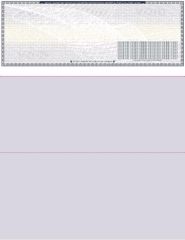
Our blank checks come in four layouts on secured stock with clean perforation, in twenty colors. The blank checks on top layout matches the voucher position most accounting software prints to, which makes it the natural first order for anyone graduating from templates to real printing.
The same alignment habit applies on real stock as on templates: run a test print on plain paper, hold it over a check sheet against the light, and adjust before committing the real thing. Order before 2:00 PM EST Monday through Friday and blank check stock ships the same business day for next business day arrival, with free shipping.
About the Author
This guide was written by the Checks Next Day production team, which has printed business checks and blank check stock to banking specifications across the United States since 1997. The team works with check layouts, MICR standards, and print alignment daily, and reviews every guide against current production practice before publishing.