- - -
- hours mins seconds
to get your checks by
Tomorrow, Oct. 15th

 0
0 You have no items in your shopping cart.
MICR Line on a Check: What the Numbers and Symbols Mean
Look along the bottom edge of any check and you will see a strip of odd-looking numbers. That strip is the MICR line. It tells banks which institution must pay the check, which account to debit and which check in the sequence this is. This guide shows you how to read it, what each symbol means and what goes wrong when it is printed badly.
Quick Summary
The MICR line on a check is the strip of coded digits and symbols along its bottom edge, printed in magnetic ink. It carries the routing number of the bank, your account number and the number of the check, in a font that bank equipment can read by machine. On most business-size checks, you read the check number first, then the routing number, then the account number.
- Three data points: a nine-digit routing number for the bank, an account number and a check number.
- Four symbols: transit, on-us, amount and dash symbols mark where each field starts and ends.
- Magnetic ink: Federal Reserve guidance says only the MICR line has to be printed in magnetic ink, not the whole check.
- Clear band: the bottom 5/8 inch of the check is reserved for MICR, so signatures and stamps belong above it.
- Different order by check size: personal-size checks read routing, account, check number, while business-size checks usually start with the check number.
- Verify before you send: one wrong digit or a smudged line can push a check into manual handling.
Here is the MICR line broken down by part, using a business-size check as the model.
| Part of the line | What it tells the bank | Where to find it |
|---|---|---|
| Check number | Which check in the sequence this is | Far left, between two on-us symbols |
| Routing number | Which bank must pay the check | Nine digits between two transit symbols |
| Account number | Which account to debit | Right of the routing number, ending with an on-us symbol |
| Amount | The dollar value, once encoded | Far right, usually blank until the bank adds it |
Sources: Federal Reserve Board, Check 21 FAQ; American Bankers Association, routing number page.
If you would rather not encode the line yourself, our business checks arrive with the details printed, and we offer same day production with next day delivery.
What this guide covers
- What the MICR line is
- Where the MICR line sits on a check
- How to read it number by number
- What the four symbols mean
- How the line is laid out by position
- Why magnetic ink is required
- What happens when the line is wrong
- How to judge a MICR line on a check you receive
- What to have ready when you order checks
What is the MICR line on a check and what does it hold?
The MICR line is the band of coded numbers and symbols printed near the foot of a check in magnetic ink. The name is short for magnetic ink character recognition.
U.S. law describes the line as numbers that may cover the bank routing number, the account, the check serial and the amount, printed in magnetic ink under generally applicable industry standards. Cornell Legal Information Institute, 12 USC 5002.
The characters use a font called E-13B, which has ten numerals and four special symbols.
The American National Standards Institute publishes the print specification, ANSI X9.100-20, along with separate standards for placement and for MICR paper. ANSI Blog, MICR specifications. The font was shown to the American Bankers Association in 1956 and adopted by it in 1958. Wikipedia, Magnetic ink character recognition.
Why do banks still use the MICR line when most checks are scanned?
Banks still use the MICR line because the data travels with the check, even when the check becomes an image. The Federal Reserve notes that electronic collection is now the primary way checks are collected. Federal Reserve Board, Check Services.
When a bank prints a paper copy from an image, called a substitute check, that copy must carry a MICR line with all the information from the original's line. Cornell Legal Information Institute, 12 USC 5002. So the numbers you print or order are used at every step, from the first deposit to the final debit.
Where is the MICR line on a check?
The MICR line runs along the bottom edge on the front of the check, inside a strip called the clear band. The clear band is at least 5/8 inch high, measured from the bottom edge, and nothing except MICR characters should sit in it. The base of the characters starts about 3/16 inch above the bottom edge. Bank check printing specification (M&T Bank requirements).
On a check-on-bottom layout, the line sits at the foot of the page. On a check-on-top layout, it sits at the bottom of the check portion, with the voucher or stub area below it. In every layout, the line belongs to the check itself, not to the page. Our guide to check on top, middle or bottom explains how the layouts differ.
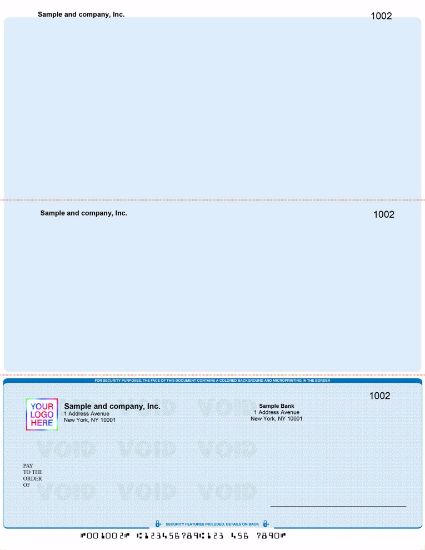
Because the clear band is reserved, a signature that dips too low, a stamp or a decorative border can interfere with the line.
Government and bank specifications are blunt about it. One state treasurer's handbook says no printing belongs in the lower 5/8 inch band, which is reserved for MICR. North Carolina State Treasurer, banking handbook.
A bank specification also says facsimile signatures cannot extend into the clear band. Bank check printing specification (M&T Bank requirements). Keep your signature on the signature line and your memo text above the strip.
How do you read the MICR line number by number?
Read the MICR line from left to right. On a personal-size check, the order is routing, account, then check number. American Bankers Association, routing number page.
On most business-size checks, the check number moves to the far left, in an extra field called the auxiliary on-us field. You then read check number, routing number and account number.
Here is an invented sample line for a business-size check. The numbers are for illustration only and do not belong to any real bank or account.
| Segment | Example | What it is |
|---|---|---|
| 1 | ⑈001042⑈ | Check number 1042, between on-us symbols |
| 2 | ⑆123456780⑆ | Routing number, between transit symbols |
| 3 | 4501223388⑈ | Account number, ending with an on-us symbol |
Use this quick routine on any check in front of you:
- Find the strip. Look at the bottom edge for the row of blocky numbers and symbols.
- Find the two transit symbols. The nine digits between them are the routing number.
- Test the routing number. Run the check digit test in the next section.
- Read the account number. It runs from the routing number to the next on-us symbol.
- Match the check number. Match it against the number printed on the face of the check, usually near the top right.
What is the routing number in the MICR line?
The routing number is the nine-digit code between two transit symbols that identifies the bank that must pay the check. The first four digits are the Federal Reserve routing symbol, the next four identify the institution, and the ninth is a check digit. Wikipedia, Routing transit number.
The first two digits point to the Federal Reserve district. Thrift and credit union numbers start with a 2 in districts 1 to 9 and a 3 in districts 10 to 12. Federal Reserve Financial Services, key to check routing numbers. That is why most routing numbers begin with 0, 1, 2 or 3.
How does the routing number check digit work?
The last digit of a routing number is calculated from the first eight, so a typing slip is easy to catch. Multiply the digits by 3, 7 and 1 in a repeating pattern, add the results, and the total must be a multiple of 10. Wikipedia, Routing transit number.
| Number tested | Weighted total | Result |
|---|---|---|
| 123456780 (sample) | 36 + 105 + 9 = 150 | Passes, 150 is a multiple of 10 |
| 123546780 (4th and 5th digits swapped) | 39 + 98 + 9 = 146 | Fails, 146 is not a multiple of 10 |
Source: the 3-7-1 formula is described on Wikipedia, Routing transit number. Worked examples use invented numbers.
The test is a typo filter, not proof. It can miss some swaps, such as two digits that differ by five, and a number that passes is not guaranteed to belong to your bank. Confirm the number against a check or a document from your bank.
What is the account number in the MICR line?
The account number identifies your specific account, and it follows the routing number, ending with an on-us symbol. Its length is set by your bank, so do not assume it matches another bank's format. Copy it digit by digit from an existing check or your bank's paperwork, never from memory.
Where is the check number in the MICR line, and why must it match?
The check number is the sequence number for each check, and the number in the MICR line should match the number printed on the face of the check. One bank's printing specification requires an identical serial number in both places, preferably in the upper right corner. Bank check printing specification (M&T Bank requirements).
A mismatch makes reconciliation harder, because your records and the bank statement tell different stories. A clean check register that follows the printed number helps you spot a gap or a duplicate quickly.
Is the routing number on a check the same as the ACH or wire routing number?
Not always. Larger banks may use different routing numbers by state, by region or by type of transaction, so the number on your checks may not be the one your bank lists for direct deposit or wires. Bankrate, routing number guide. Ask your bank which number to use for each purpose.
Deposit slips carry their own MICR line, so a number that looks unfamiliar there is worth a question to your bank. Our guide on how to fill out a business deposit slip explains why you should not print your own.
What do the four MICR symbols mean?
The E-13B font has four symbols called transit, on-us, amount and dash. Together they mark where each field starts and ends. Industry insiders sometimes call the line the TOAD line, after the first letters of the four names. Wikipedia, Magnetic ink character recognition.
| Symbol | Name | What it marks |
|---|---|---|
| ⑆ | Transit | Opens and closes the bank routing number |
| ⑈ | On-us | Sets off the account number and, on business checks, the check number |
| ⑇ | Amount | Brackets the check amount, added by the bank |
| ⑉ | Dash | Separates parts of a number, such as within an account number |
Source: Wikipedia, Magnetic ink character recognition. The symbols on screen are Unicode look-alikes, while real checks use the MICR font.
How is the MICR line laid out by position?
The MICR line is laid out in fixed positions that are counted from the right edge of the check. The amount field sits at the far right, then the on-us field, then the transit field, then an optional one-digit code, and finally the auxiliary on-us field on larger checks. The map below shows the standard layout.
| Position from right edge | Field | Usually holds |
|---|---|---|
| 1 to 12 | Amount | Left blank by the printer, added by the bank later |
| 13 to 32 | On-us | Account number |
| 33 to 43 | Transit | Nine-digit routing number between two transit symbols |
| 44 | External processing code (optional) | One digit for special handling, usually blank |
| 45 and up | Auxiliary on-us | Check number on business-size checks |
Sources: Morovia, MICR line placement guide; Bank check printing specification (M&T Bank requirements); ANSI Blog, MICR specifications; North Carolina State Treasurer, banking handbook.
The external processing code is a single optional digit placed to the left of the routing field. ANSI notes that ASC X9 controls how it is assigned. Individual banks also publish their own MICR specification sheets that follow the standard, so when you set up checks for a new account, use your bank's sheet if it gives you one.
Position matters most when you print your own line. A line that is shifted or scaled can be misread, which is why you should print at actual size and never use a fit-to-page setting.
Why must the MICR line use magnetic ink?
Bank sorting equipment relies on the magnetic signal of the line. The Federal Reserve says industry standards have required magnetic ink for the MICR line on original checks for a long time, and that only the line itself needs it. The date, payee name and amount can use regular ink. Federal Reserve Board, Check 21 FAQ.
That has a practical meaning. If your check stock already has the MICR line pre-printed, the rest of the check does not need magnetic ink. If you have to print the line yourself, the Federal Reserve says to print it in magnetic ink.
Can you print your own MICR line?
Yes. You need blank check stock, check printing software that can create the line, a laser printer and MICR toner. Our guides to blank check stock and computer checks software explain each piece and how to match the layout to your software.
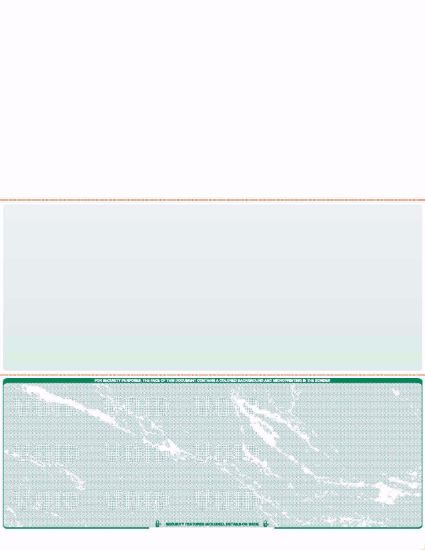
Some businesses prefer checks that arrive with the line already encoded. Our types of business checks guide helps you decide which route fits your payment volume and software.
Will a bank reject a check printed with regular toner?
It can, and you should not count on it working. You may see people online say that regular toner has worked for them for years. That can happen because most checks are now collected electronically, but the standards still call for magnetic ink, and a bank can still process the paper item.
Policies differ by bank, and problems often show up after the payment has already gone out. The safe approach is simple: use MICR toner, ask your bank if it has a specification sheet, and deposit one test check before printing a full batch.
What happens when the MICR line is wrong, smudged or blocked?
A bad MICR line does not make a check illegal. It makes the check hard for a machine to read, and that is where delays start. The table below links common problems to the likely cause and the fix.
| Problem | Likely cause | What to do |
|---|---|---|
| Wrong routing or account digit | Typing error when setting up software or ordering | Run the check digit test, compare with a known good check, and reprint |
| Faint or smeared characters | Weak toner or stock that does not suit your printer | Use true MICR toner and stock made for laser printing, then test again |
| Characters in the wrong place | Scaling, tray misfeed or a layout that does not match the stock | Print at 100 percent, load paper straight, and recheck the layout |
| Marks in the clear band | Signature, stamp, label or border that dips into the strip | Keep everything except MICR characters out of the bottom 5/8 inch |
| Check number mismatch | Software numbering differs from the printed number | Align both numbers before you print the next batch |
| Line not read as magnetic | Regular toner or ink used for the MICR line | Switch to MICR toner and reprint the affected checks |
What does "MICR line has an intruder" mean on a mobile deposit?
Some deposit apps show a message about an intruder in the MICR line. It generally points to a stray mark or character in the strip that the software cannot read as part of the line. Retake the photo on a flat, dark surface with the whole bottom edge in frame. If the message keeps appearing, ask the issuer for a replacement or deposit the check at a branch.
How can you judge a MICR line on a check you receive?
Compare the line with the rest of the check, then confirm anything that looks off with the bank. No single sign proves a check is good or bad, and a bank can verify far more than you can by eye. Use this short list as a first pass:
- Bank match: the routing number should fit the bank named on the check, and it should pass the check digit test.
- Number match: the check number in the MICR line should match the number printed in the upper right corner.
- Range: a serial number that is far lower than the issuer's current checks deserves a second look.
- Print quality: the Federal Reserve's check fraud toolkit lists MICR characters that look raised or glossy among the indicators of a counterfeit check.
- Stock and alignment: the toolkit also lists stock or alignment that differs from known legitimate checks.
Source: FedPayments Improvement, Types of Fraudulent Checks.
For payments that matter, ask your bank to verify the item before you act on the funds. To make your own checks harder to copy, read our guides to high security business checks and blank check security features.
What should you have ready to get the MICR line right when ordering checks?
Gather the details from your bank's own documents or an existing check before you order. A single wrong digit is the most common reason a new batch needs to be redone. Use this list:
- A reference check: a voided check from the same account shows the line the way your bank expects it. Our guide to what a voided check is explains how to void one safely.
- The check routing number: use the number on your checks, not a number copied from an online transfer screen without confirming it.
- The account number: read it digit by digit and have a second person confirm it.
- Your starting check number: continue from your last check so your register stays in order. Our guide to ordering business checks for the first time covers numbering and setup.
- Your software: match the format to your accounting program. See which computer checks work with QuickBooks, Quicken and Sage 50.
When your checks arrive, compare the first one with a known good check, line by line, before you use the box.
Related reading on checks and check security
- Computer checks for businesses that print from accounting software.
- Payroll checks for teams that pay by check.
- Check washing for a clear look at how altered checks happen and who pays.
What should you do next?
Check the MICR line on the checks you use today. Read it left to right, run the check digit test, and confirm the check number matches the upper right corner. If your checks are printed in house and anything looks faint, shifted or crowded, fix that first.
If you would rather have the line encoded for you, browse our business checks or blank checks. We handle same day production with same day production and next day delivery.
About the Author
The Checks Next Day team prints and ships business and personal checks for U.S. customers every business day, with same day production and next day delivery. Bank policies, deposit agreements and equipment vary, so confirm specifics with your own bank.