- - -
- hours mins seconds
to get your checks by
Monday, Oct. 5th

 0
0 You have no items in your shopping cart.
Computer Checks vs. Manual Checks: Which Is Right for Your Business?
Computer business checks print from your accounting software onto pre-printed check stock, while manual checks are written by hand from a bound book with a record stub. The right choice comes down to three things: how many checks you write, whether your payments live in software, and where you are standing when you pay.
Both formats produce a check your bank processes identically. What differs is the workflow around them, and picking the wrong workflow means either babysitting a printer for five checks a month or hand-writing forty checks every payroll. Here is the honest comparison.
Quick Summary
- Computer checks win on volume. Batch printing from software handles payroll and accounts payable runs in minutes, with records created automatically.
- Manual checks win on simplicity. No printer, no software, no alignment setup. Open the book, write the check, the stub keeps the record.
- Neither needs special equipment. Computer checks arrive with the MICR line pre-printed, so any laser or inkjet printer works. Manual checks need only a pen.
- Your software decides the computer check layout: check on top for QuickBooks and Quicken, middle for Sage 50, bottom for DacEasy and MAS 90.
- Many businesses run both: computer checks for scheduled runs, a manual book for ad hoc and off-site payments.
What Are Computer Business Checks?
Computer checks, also called laser checks, are pre-printed business checks designed to be completed by a printer instead of a pen. Your bank details, business name, and the magnetic MICR line arrive already printed to banking specifications. Your accounting software adds the payee, date, and amount when you run a payment batch.
Because the MICR line is pre-printed, no MICR toner or special printer is required. The sheets feed through any standard laser or inkjet printer.
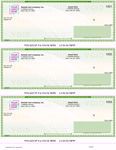
Our computer checks come in four layouts, and the choice follows your software, not your preference: check on top is the voucher position QuickBooks and Quicken expect, check in middle suits Sage 50, check on bottom works with DacEasy and MAS 90, and 3 per page is the economical pick for high-volume runs.
What Are Manual Business Checks?
Manual checks are written by hand from a bound binder or deskbook. Beside every check sits a stub, and filling it in as you write is the entire record-keeping system: payee, amount, date, purpose, done.
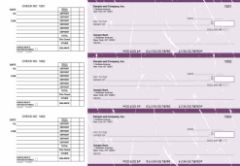
Our manual business checks come in five formats: accounts payable for vendor payments, multi purpose for general disbursements, payroll for handwritten wages, pocket checks that travel with a vinyl cover and deposit slips, and the executive deskbook for businesses where the check is part of the impression.
The defining advantage is independence. A manual check needs no printer, no software, no power, and no desk. It writes a payment wherever you are standing, which no printed format can claim.
Head to Head: The Full Comparison
| Computer checks | Manual checks | |
|---|---|---|
| How they are completed | Printed from accounting software | Written by hand |
| Equipment needed | Any laser or inkjet printer | A pen |
| Best volume | Regular batches: payroll, AP runs | A handful of checks per week |
| Record keeping | Automatic in the software register | Handwritten stub beside each check |
| Where you can pay | At the printer | Anywhere |
| Setup required | Layout must match software print settings | None |
| Typical users | Bookkeepers, AP teams, payroll | Owners, site managers, small offices |
The Volume Threshold: When the Math Flips
The clearest deciding line is check volume.
Hand-writing five checks a week is faster than any printer workflow, because loading stock and running a print job has fixed overhead no matter how few checks you print. Hand-writing forty checks every payroll is a wasted afternoon and an invitation for transcription errors.
The practical threshold most offices land on: once you write more than roughly ten to fifteen checks in a sitting on a regular schedule, batch printing pays for its setup time every single run. Below that, the manual book is the more efficient tool. Per-check economics follow the same curve, with 3-per-page computer stock stretching furthest at volume.
The Audit Trail: Stubs vs Software
Both formats keep records. They keep them differently, and the difference matters at reconciliation time.
Computer checks record themselves. The payment that prints the check also writes the register entry, so the check number, payee, amount, and date land in your books without a second step. At month end, reconciliation is a matching exercise inside the software.
Manual checks record by discipline. The stub is a complete audit trail only if it gets filled in every time. A well-kept deskbook is a perfectly auditable record in your own hand; a hurried one with blank stubs is a reconciliation headache. If more than one person writes checks from the same book, the discipline has to hold for all of them.
Neither is inherently safer. Software records resist forgetfulness; handwritten stubs resist software mistakes like a mis-posted batch. The best control in either system is the same: someone other than the check writer reconciles the account.
If You Came From a One-Write or Pegboard System
Long-established businesses often arrive at this decision from an older starting point: the one-write pegboard system, where carbon copy backing turned each handwritten check into a simultaneous journal entry.
Both modern formats inherit half of that system. Manual checks with stubs keep the write-once record in a simpler binder form, without pegboard hardware or carbon sheets. Computer checks automate the journal half entirely, with the software posting the entry as the check prints. If the one-write's appeal was never touching the same transaction twice, computer checks are its true successor. If the appeal was paper you control by hand, the manual deskbook is the modern version.
The Case for Running Both
This is not an either-or decision, and plenty of businesses quietly run both formats.
The pattern that works: computer checks handle everything scheduled, payroll and the weekly AP run, printed in batches from the software where those payments already live. A manual pocket book or deskbook covers everything else: the delivery that needs paying at the door, the payment written at a job site, the one-off refund when the printer is occupied.
Two rules keep a dual setup clean. Keep the check number sequences clearly separate between the two stocks, and record manual checks into the software register promptly so reconciliation sees one unified picture.
How to Decide in Three Questions
- Do your payments already live in accounting software? Yes: computer checks, in the layout your print settings expect. For QuickBooks specifically, pre-formatted QuickBooks checks remove the guesswork.
- How many checks per sitting? More than ten to fifteen on a schedule points to printing. A few per week points to the book.
- Where do payments happen? At a desk near a printer: computer checks. In the field, at the counter, on the move: manual, or both.
One edge case worth knowing: businesses printing from several bank accounts sometimes skip both and use blank checks with MICR toner instead, one stock for every account. That is a different workflow with its own setup, covered in our blank check stock guide.
Whichever side you land on, the logistics are identical: order before 2:00 PM EST Monday through Friday and your checks print and ship the same business day, arriving the next business day with free shipping and free logo setup, backed by our on-time guarantee.
About the Author
This guide was written by the Checks Next Day production team, which has printed both computer and manual business checks for companies across the United States since 1997. The team works daily with every layout and format in this comparison and reviews each guide against current production practice before publishing.