- - -
- hours mins seconds
to get your checks by
Wednesday, Sep. 30th

 0
0 You have no items in your shopping cart.
Blank Check Stock: What It Is and What Software You Need
Blank check stock is secure check paper with no bank details printed on it. Your own printer adds the routing number, account number, check number, and payment details in a single pass, using MICR toner and check printing software. One paper supply can then serve every bank account your business prints from.
That flexibility is why accounting teams love blank check paper, and also why first orders sometimes go wrong: the paper is only one third of the setup. This guide covers what blank check stock is, the three things you need before printing a single check, and when pre-printed checks are honestly the better buy.
TL;DR: Blank Check Stock at a Glance
Five lines, whole story.
- Blank check stock carries no bank details. You print everything, which means one paper covers unlimited bank accounts.
- You need three things: magnetic ink (MICR toner for laser printers), check printing software, and a printer. The paper alone prints nothing bankable.
- The MICR line is why. Banks process checks by machine-reading magnetic characters, so the bottom line must print in magnetic ink using the MICR font.
- Layouts match your software: top-check layout is the common default, with middle, bottom, and 3-per-page options for other setups.
- Low volume? Skip it. If you print from one account and a few checks a month, pre-printed computer checks avoid the toner and software setup entirely.
What Is Blank Check Stock?
Picture a business check with everything removed except the security paper itself: no bank name, no routing number, no account number, no check number, no business name. That is blank check stock.
The sheet is still real check material. It prints on standard 8.5 x 11 security paper with built-in fraud deterrents and clean perforations, so the finished check tears out crisply and processes like any other. What changes is who prints the bank information: instead of arriving pre-printed, every detail comes from your printer at the moment you run a check.
Our blank checks come in four layouts and twenty colors, with security features built into the stock, and they work with the accounting software small businesses actually run, including QuickBooks.
Blank Check Stock vs Pre-Printed Checks
The decision comes down to how many accounts you print from and how much setup you want to own.
| Blank check stock | Pre-printed computer checks | |
|---|---|---|
| Bank details | You print them each run | Printed before shipping, to banking specifications |
| Toner required | Magnetic ink (MICR toner on laser printers) | None, standard toner or ink works |
| Software required | Check printing software that formats the MICR line | Your accounting software alone |
| Bank accounts covered | Unlimited from one paper supply | One account per check order |
| Best for | Multi-account businesses, high volume, full control | Single-account businesses that want zero setup |
If the right column describes you, go straight to computer checks and skip the rest of the setup. If the left column fits, here is what you need.
The Three Things You Need to Print on Blank Check Stock
1. Magnetic Ink (MICR Toner)
The row of numbers along the bottom of every check is the MICR line, short for Magnetic Ink Character Recognition. Banks process checks by machine-reading those characters magnetically, which is why the line must print in magnetic ink, not regular toner.
On laser printers, that means a MICR toner cartridge that fits your printer model. The characters themselves use the special MICR font, called E-13B in the United States, with its distinctive squared-off digits. Your check printing software supplies the font; the toner supplies the magnetism. A check printed without magnetic ink can face processing problems at the bank, which defeats the purpose of printing your own.
2. Check Printing Software
Something has to place your routing number, account number, and check number in exactly the right position, in the right font, every time. That is the software's job.
Two setups are common. Accounting platforms such as QuickBooks can print onto blank stock directly when configured with your bank details. Dedicated check printing software, with VersaCheck and PrintBoss among the widely used examples, sits alongside your accounting system and handles the MICR formatting, which is the preferred route when you print from several accounts or several entities.
Whichever you run, tell us the software name when you order and we will match the stock layout to it. That one step prevents nearly every alignment problem.
3. A Compatible Printer
Our blank laser check stock runs on laser and inkjet printers, with magnetic ink required for the MICR line. Laser plus MICR toner is the standard professional setup and the one most banks' processing equipment is happiest with. Dedicate a tray to check stock if you can: it prevents the classic mistake of payroll printing onto plain paper, or a memo printing onto check stock.
Choosing a Blank Check Layout
Blank check paper comes in the same four layouts as pre-printed checks, and your software decides which one to buy.
Top-check layout. The check body prints at the top with two stubs below. This is the voucher position most accounting software defaults to, and the safest choice when you are unsure.
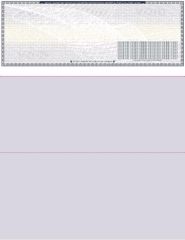
Order blank checks on top for payroll and accounts payable printing.
3 per page. Three full checks per sheet with no stubs, the economical pick for high-volume runs where records live in your software rather than on paper.
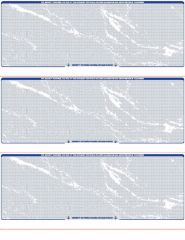
Order blank checks 3 per page when volume leads the decision. Middle and bottom check positions are also available under the blank checks category for software that expects them.
One detail worth checking on any layout: the perforation. A clean micro-perforated edge is what separates a professional check from one that looks torn out of a notebook, and it matters to the vendors and employees who receive them.
Security Built Into the Paper
Blank stock has a unique security consideration: until you print, the sheet carries no account details, but after you print, everything sensitive on the check came from your own office. The paper has to do the protective work.
Quality blank check stock is security paper with multiple built-in fraud deterrents, and ours ships with those features as standard. Store it locked, count sheets like cash, and account for spoiled pages. A stolen blank sheet is more dangerous than a stolen pre-printed check, because a thief can print any account details onto it.
Want to preview the layout first? Our guide to sample blank check templates shows standard check dimensions. If you need paper quickly, our guide to rush blank check stock explains how to get it shipped fast.
Who Should Use Blank Check Stock (and Who Should Not)
Blank stock earns its setup when:
- You print checks from two or more bank accounts, or for more than one business entity, and want one paper supply instead of separate pre-printed boxes.
- Your check volume is high enough that per-check economics matter.
- You change banks or accounts often enough that pre-printed stock keeps going stale in the drawer.
- You already run check printing software, so the setup cost is behind you.
Skip it and buy pre-printed when: you print from a single account, write a modest number of checks, and would rather load paper and press print. Computer checks arrive with the MICR line already printed to banking specifications, and QuickBooks checks do the same for QuickBooks users. No MICR toner, no extra software.
Common Blank Check Stock Mistakes to Avoid
Printing the MICR line in regular toner. It looks identical to the eye and fails at the bank's reader. Magnetic ink is not optional.
Buying the wrong layout. Software set to a voucher layout will never align on 3-per-page stock. Check your print settings before ordering, and name your software at checkout so the stock matches.
Skipping the plain-paper test. Print the first run of any new setup on plain paper, hold it over a check sheet against the light, and adjust alignment before committing real stock.
Leaving stock in the printer tray. Blank sheets in an open tray are an invitation. Load what you print, remove what you do not.
Letting one person own the whole process. The person who prints checks and the person who reconciles the account should not be the same person if headcount allows. It is the oldest internal control there is, and it works.
Ordering Blank Check Stock With Next-Day Delivery
Blank check paper runs out the same way pre-printed checks do: suddenly, and usually mid payment run. Here is the timeline when you restock with us.
- Order before 2:00 PM EST, Monday through Friday, and your blank check stock ships the same business day for next business day arrival.
- Choose your layout and color, and tell us which software you print from so the stock matches your setup.
- Security features come standard on every sheet, in all twenty colors.
- We have printed and shipped business checks since 1997 and back the timeline with an on-time shipping guarantee.
About the Author
This guide was written by the Checks Next Day production team, which has printed and shipped business checks and blank check stock across the United States since 1997. The team works daily with MICR printing standards, check layouts, and accounting software compatibility, and reviews every guide against current production specifications before publishing.